Overview
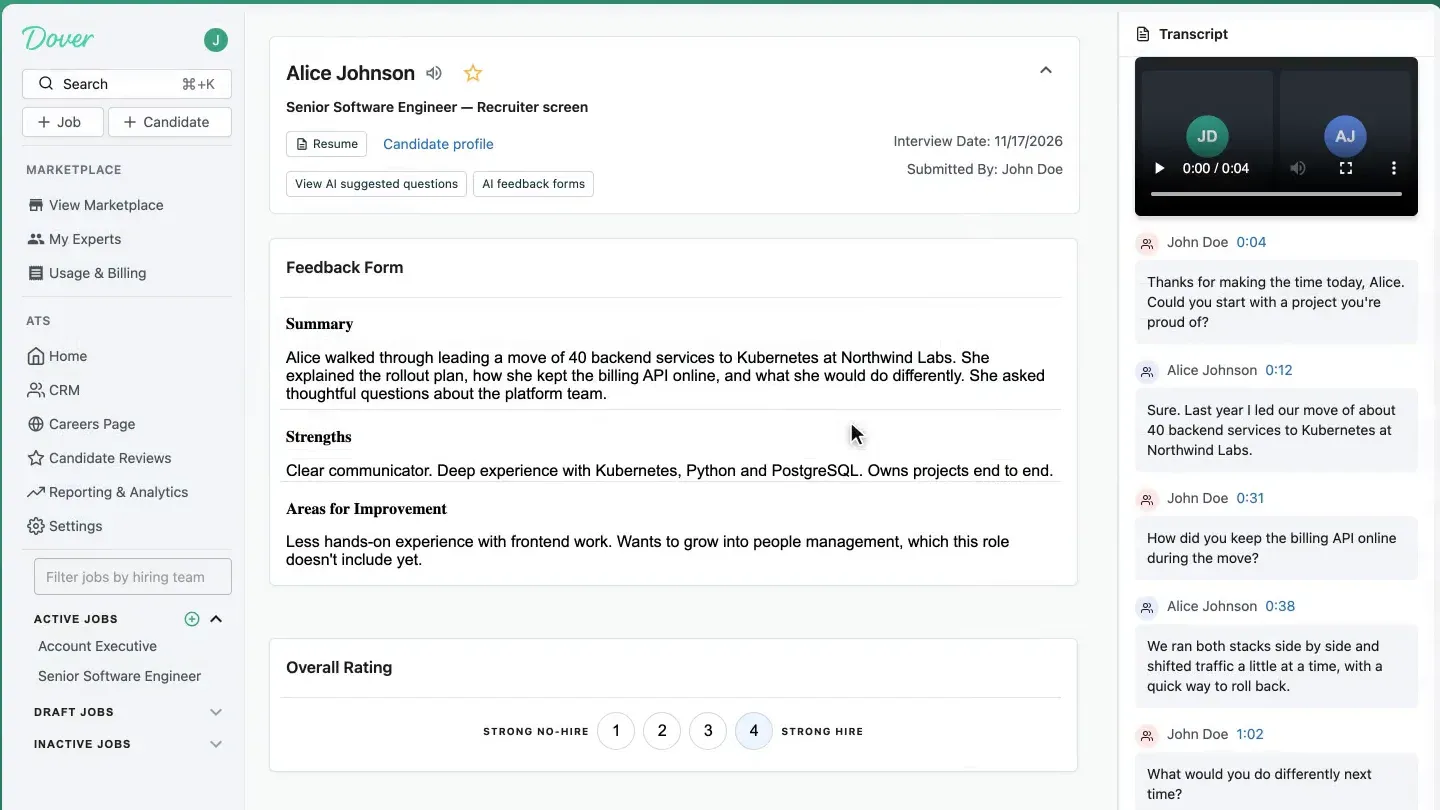
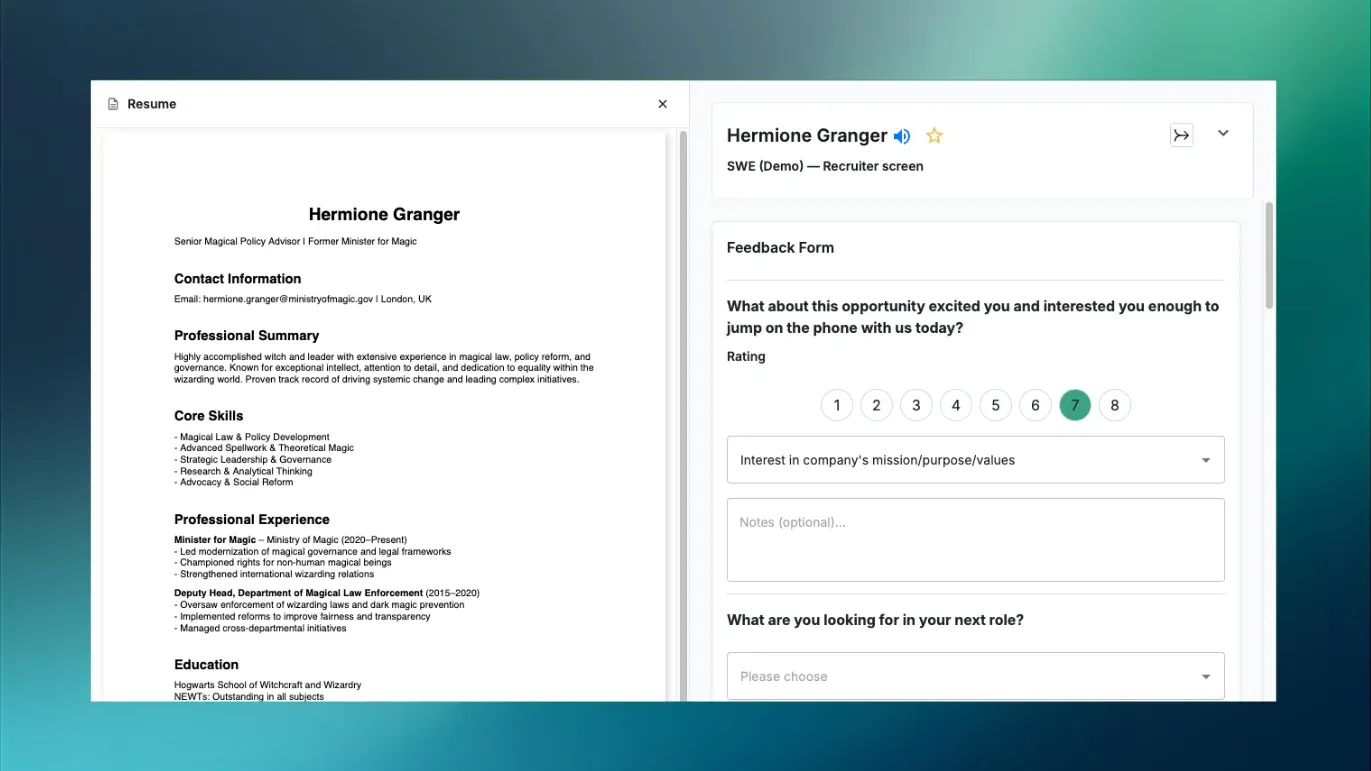
Dover’s interview page can now show a candidate’s resume beside your feedback form. It’s included on every plan, for interviewers who want the resume in view while they ask questions and write notes. Checking one detail on a resume used to mean finding another tab and losing your place in a half-written form.
What the resume panel does
- Keep the resume in view. Click Resume at the top of the interview page. It opens on the left, and the form stays open and editable next to it. You can also download the resume from there.
- Fit the page to your screen. Drag the panel’s edge to make the resume wider when you’re reading, or narrower when you’re writing. On a small screen such as a phone, it covers the width of the page instead.
The panel is separate from the transcript panel, so opening one doesn’t close the other.
Set up the resume panel
- Open a candidate’s profile and click Add feedback.
- Choose the feedback form, then click Resume.
Try it a few minutes before your next interview, so the panel is the size you want when the call starts. Full steps and screenshots are in the help article.
Resume panel availability and pricing
The resume panel is included in Free, Premium and Enterprise. It needs a resume on the candidate’s profile. A file that can’t be shown on the page can be downloaded instead. Submitting feedback takes the Submit feedback permission for the job. See plans and pricing.
Frequently asked questions
Is the Dover resume panel free?
Yes. It's on Free, Premium and Enterprise.
How do I open the resume beside the feedback form in Dover?
Open the interview page from a candidate's profile with Add feedback, then click Resume at the top.
Why is the Resume button turned off in Dover?
The candidate has no resume on file. Add one to their profile and the button works.