


Be specific
“Candidates for the Software Engineer role in Hiring Manager Screen” gets a precise answer. “My candidates” gets a vague one.
Dover MCP
Connect Dover to the AI tool you already work in. Screen applicants, prep for interviews, update your pipeline, and draft candidate emails in one chat, using your real Dover data.
Tag my top Software Engineer applicants, move them to Recruiter Screen, and draft them an email.
 Dover MCP
Pick a workflow and watch your AI work through your Dover data.
Demo
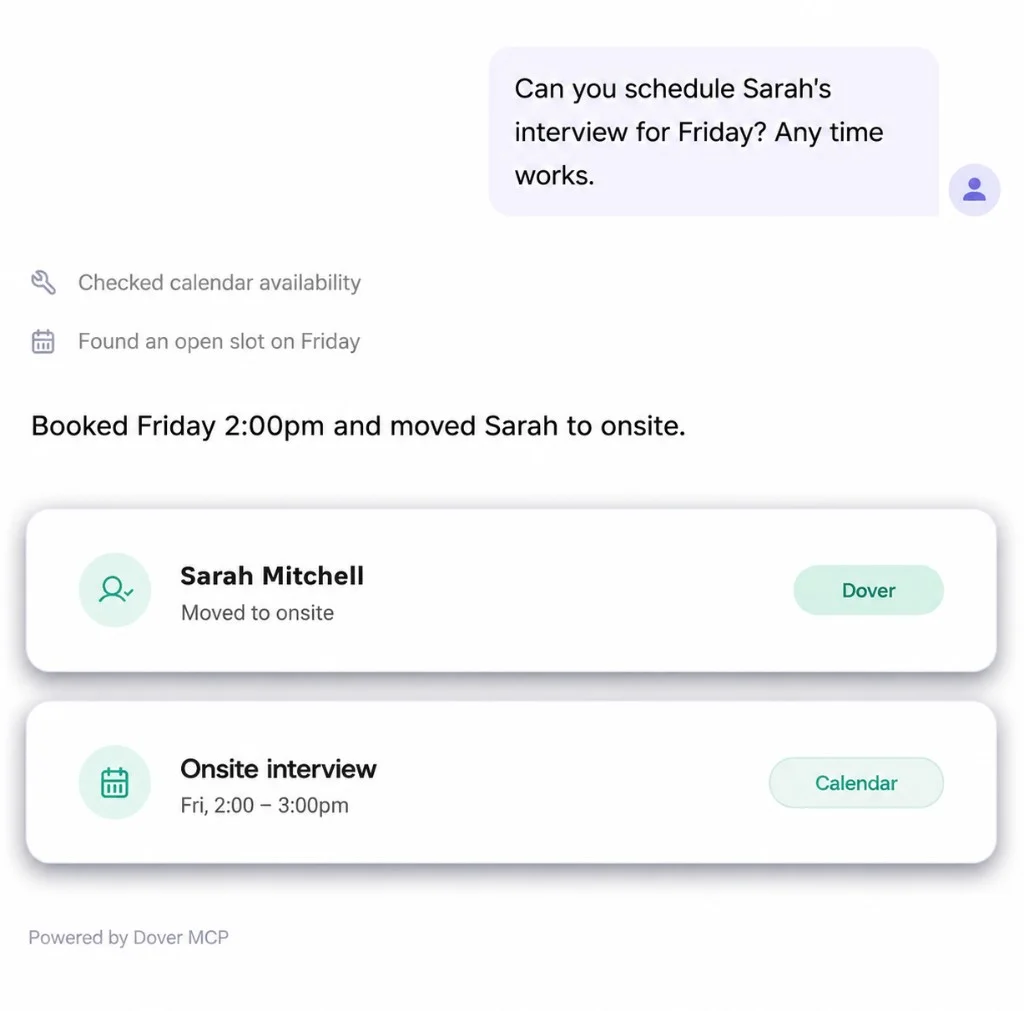
From a single chat: review applicants, move them forward, and schedule interviews, with every change landing in Dover.
Dover MCP works alongside the other tools connected to your AI. Add Gmail and Google Calendar too, and you can go from new applicants to scheduled screens without opening another tab.
“Show me this week’s Software Engineer applicants scoring above 80.”
“Tag the top five “Top Applicant” and move them to Recruiter Screen.”
“Find five 30-minute slots on my calendar next week.”
“Draft an email to each of them offering those times. Keep them as drafts.”
“Candidates for the Software Engineer role in Hiring Manager Screen” gets a precise answer. “My candidates” gets a vague one.
Before moving stages, applying tags, or rejecting, ask your AI to list who it would change. Then confirm.
Have your AI create Gmail drafts rather than send them. Emails sent from Gmail aren’t logged on the candidate in Dover.
Paste in a couple of emails you’ve written to candidates and ask it to match the tone.
Keep your favorites in a Claude Project or ChatGPT project so they’re one click away and easy to share with your team.
See how a founder runs hiring from Claude in this walkthrough.
21 prompts to copy into Claude or ChatGPT. Swap in your own roles and names. Prompts marked Gmail or Google Calendar need that connector in your AI tool too.
“Show me the top 20 applicants for the Software Engineer role, ranked by applicant score, listing pros and cons for each.”
“List everyone who applied to any of my jobs in the past 7 days. Group them by job and flag anyone with a score above 80.”
“Compare my top 5 Product Designer applicants side by side against the job requirements. Who should I talk to first, and why?”
“For every Software Engineer applicant with a score above 80, tag them “Top Applicant”, move them to Recruiter Screen, and draft an email from me asking for their availability this week for a call with our recruiter, Michelle.”
“List all active candidates across my open roles, grouped by job and stage.”
“Which roles have the fewest candidates in late-stage interviews? Tell me where my pipeline is thinnest.”
“Show me everyone I’ve rejected for the Account Executive role this month, so I can check we closed the loop with each of them.”
“Sam Rivera can’t start interviewing until March 1. Snooze them until then and add a note saying why.”
“For every interview on my calendar tomorrow, pull the candidate’s Dover profile and write me a short prep brief with suggested questions.”
“I’m interviewing Jordan Lee at 2pm. Give me a one-page brief: their background, how they fit the role, possible concerns, and 5 tailored questions to ask.”
“Look at my Google Calendar for next week and find five 30-minute slots. Then draft an email to each active candidate in the Hiring Manager Screen stage for the Account Executive role, offering those times.”
“For the Software Engineer role, list candidates who have been sitting in the same stage for more than 7 days and draft a scheduling email to each.”
“Check my calendar for today’s candidate interviews. For each one, ask me how it went, add my feedback as a note in Dover, and move them to the next stage.”
“Here are my rough notes from Priya’s onsite. Fill in my feedback form for that interview in Dover, and show me the answers before you submit.”
“Of the candidates I interviewed this week, list the ones I’m not moving forward and draft a warm, personal rejection email for each. I’ll mark them as rejected in Dover.”
“Add Priya Shah ([email protected], linkedin.com/in/priyashah) to the Data Analyst role in the Applied stage.”
“Here are 5 LinkedIn profiles referred by [email protected]. Add each one to the Senior Backend Engineer role as a referral. [paste URLs]”
“I just met a great candidate at a meetup. Add Sam Rivera to the Founding Engineer role as sourced, and add a note summarizing our conversation. [paste notes]”
“Create a new Senior Product Manager job with Alex as the hiring manager and a 60-day hiring timeline.”
“Help me write a job description for a Growth Marketer at a Series A startup, then create the job in Dover with me as the hiring manager.”
“Show me the interview plan for the Founding Engineer role, then add a System Design stage right before the onsite.”
Dover MCP
Model Context Protocol (MCP) lets your AI tools talk to Dover securely, so you can manage hiring from the AI tools you already use.
Use a generic HTTP MCP configuration for clients that support JSON server configuration.
Generic MCP client setup
Dover MCP server URL: https://app.dover.com/mcp
Example configuration
{
  "mcpServers": {
    "dover": {
      "url": "https://app.dover.com/mcp",
      "transport": "http"
    }
  }
}Connect with read access for jobs, applications, candidates, and interviews. Write actions like notes and stage changes only if you grant write access.
Agents only see jobs and candidates your Dover user can already access. Private jobs and role permissions still apply.
Disconnect anytime from Claude or ChatGPT. AI assists with ranking and summaries; hiring decisions stay with your team.
Dover MCP (Model Context Protocol) connects your AI tool to your Dover jobs, candidates, applicant scores, notes, tags, and pipeline stages. Your AI works with your real hiring data instead of text you paste in, and can update Dover when you ask it to.
Claude, ChatGPT, Claude Code, Cursor, Codex, and any other AI tool that supports remote MCP servers. Use the Connect buttons above, or add https://app.dover.com/mcp as a server in your tool. Step-by-step setup is in the Dover MCP help article.
Yes. Every Dover workspace gets 50 free MCP tool calls a month on the free ATS. A tool call is one action your AI takes in Dover, so one prompt can use several. ATS Premium includes unlimited MCP usage. See pricing.
Not on its own. Connect Gmail and Google Calendar to the same AI tool, and it can draft emails and find interview times using what it reads from Dover. Emails sent from Gmail this way aren’t logged on the candidate in Dover, and rejecting a candidate through MCP doesn’t email them.
When you ask it to, your AI can add candidates and jobs, add notes and tags, move candidates between stages, snooze or reject candidates, fill in interview feedback forms, and edit interview plans. Ask it to list what it will change before it acts.
You sign in to Dover with OAuth when you connect, and your AI only sees the jobs and candidates your Dover user can already access. You can disconnect anytime from your AI tool.
Start free with Dover’s ATS, then connect Claude or ChatGPT when you’re ready to bring hiring into your AI tools.

