Overview
MCP Usage is a new Dover settings page that shows how your team’s AI tools use Dover. It’s for workspace admins on both the Free and Premium plans. When several people connect an assistant, it’s hard to tell who uses it, what it does and how quickly it uses a shared allowance. On Free, the first sign could be a request that is refused in the middle of a task.
What MCP Usage shows
- What is left this month. On Free, the page shows the calls used, the calls left and the reset date. The bar turns yellow at 80% and red when none are left. If your pace would use up the allowance early, you also see the date it is likely to run out. On Premium, you see the month’s total.
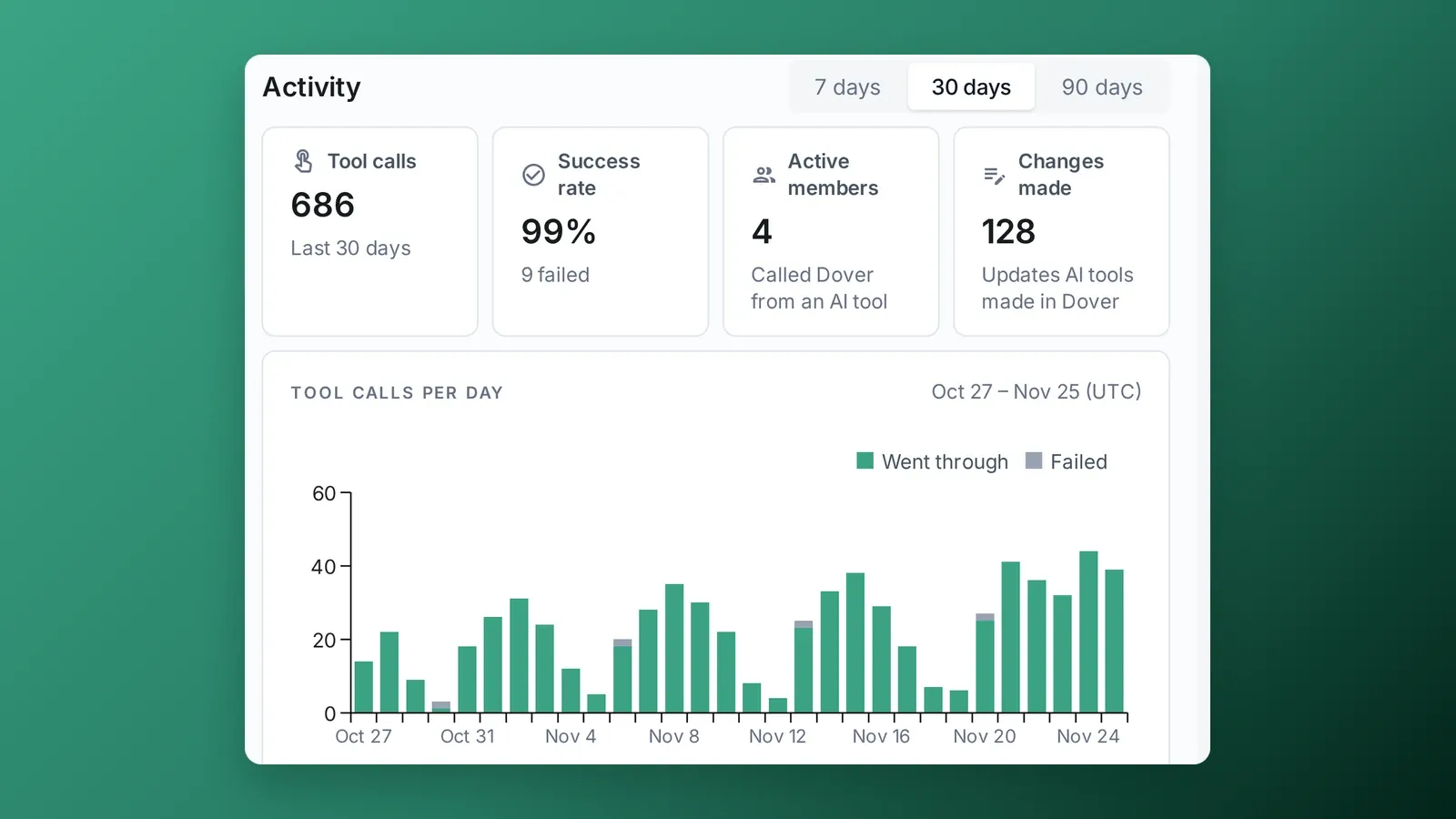
- Recent activity. Choose 7 days, 30 days or 90 days to see calls per day, including failed and refused ones; the tools used most, and whether each reads data or makes changes; the members and AI apps behind the calls; and the most recent calls, and whether each one worked.
MCP Usage gives admins the answers and leaves it to them to decide whether to change anything.
Set up MCP Usage
- An admin opens Settings → MCP Usage, or clicks View MCP usage under Settings → Integrations → Dover MCP.
- Choose a time range.
Start with the 30-day view and check which apps make changes. Full steps and screenshots are in the help article.
MCP Usage availability and pricing
Included in Free and Premium, for admins only. Free has a monthly allowance of MCP tool calls for the workspace, and Premium is unlimited. Custom usage limits are part of Enterprise. See plans and pricing.
Frequently asked questions
Who can see Dover MCP Usage?
Only workspace admins, because the page lists each member's activity. Other members can ask an admin.
Which Dover MCP calls count toward the Free allowance?
Only calls that go through. Failed calls, calls blocked because the allowance is used up, and feature requests do not count.
When does the Dover MCP allowance reset?
On the first day of the next month, in UTC.