Overview
Dover MCP can now add candidates to your jobs from an AI assistant such as Claude or ChatGPT. It’s for anyone who adds people to a pipeline, on both the Free and Premium plans. A good candidate often turns up while you’re doing something else, and adding them used to mean opening Dover and typing in details your assistant already had.
What adding candidates with Dover MCP does
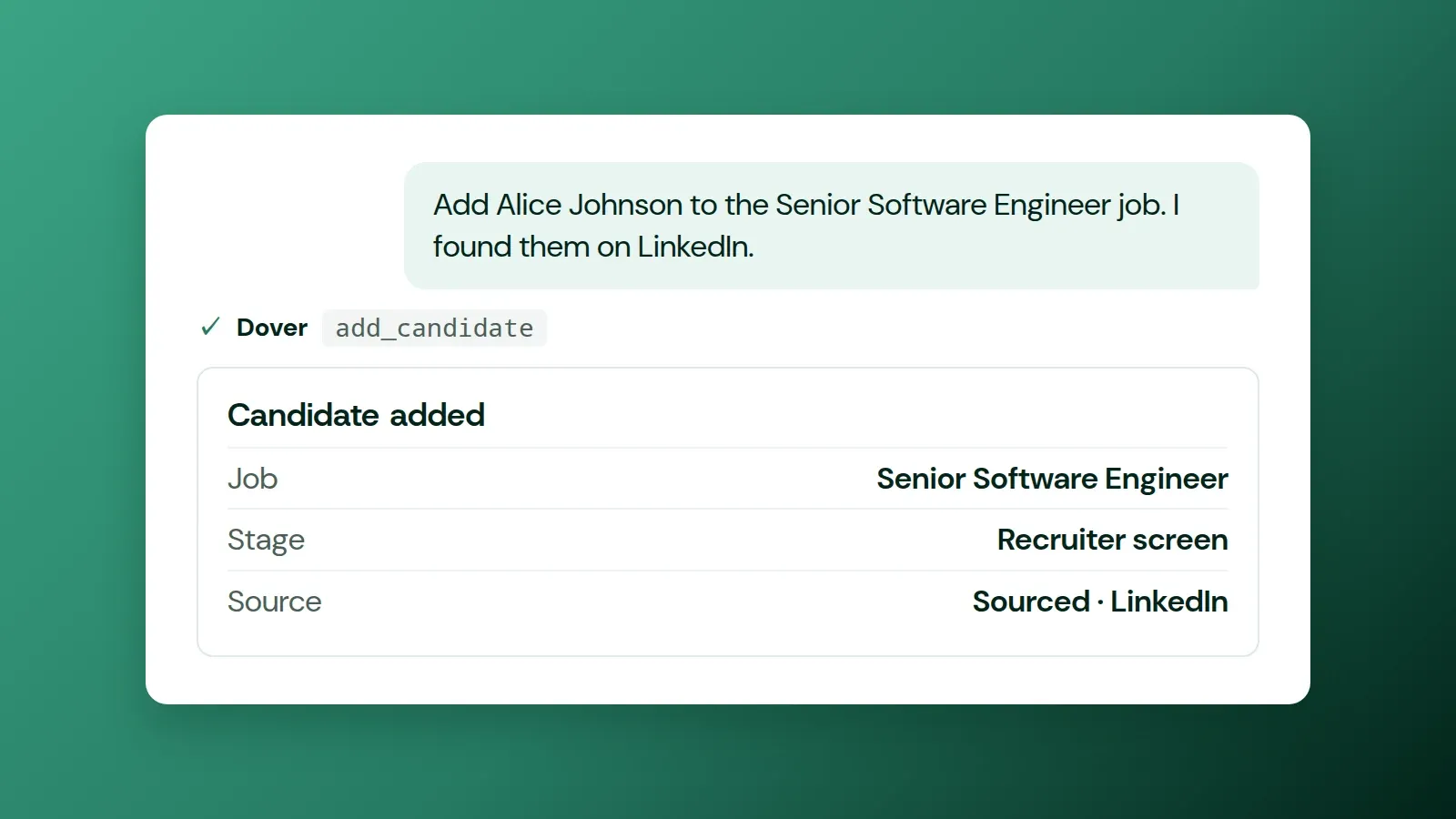
Say “Add a candidate to Dover” and your assistant can open an interactive form with your jobs, stages and sources, in AI tools that show forms. In other tools, answer its questions in the chat. You can include:
- Name, email and LinkedIn profile
- The job and pipeline stage
- How you found them: applied, sourced, referral or agency
- A resume file
You pick the job and the stage. A referral or agency candidate also needs the name and email of the person who sent them. Referrals go through your normal referral process, which emails a notification.
Dover is listed in the Claude and ChatGPT directories, so you don’t have to paste a server address.
Set up Dover MCP to add candidates
- Open Settings → Integrations → Dover MCP. Each person connects on their own.
- Click Claude or ChatGPT, then Connect in Claude or Connect in ChatGPT.
Start by adding one candidate, then open them in Dover to check the job, stage and source. Full steps and screenshots are in the help article.
Dover MCP availability and pricing
Free and Premium. Free has a monthly allowance of MCP tool calls, and Premium is unlimited. You need permission to manage candidates on the job. See plans and pricing.
Frequently asked questions
Can I add candidates through Dover MCP on the Free plan?
Yes. Adding a candidate uses tool calls from your workspace's monthly allowance. Premium has unlimited MCP usage.
How do I find Dover MCP in Claude or ChatGPT?
Open Settings → Integrations → Dover MCP, click Claude or ChatGPT, then click Connect in Claude or Connect in ChatGPT.
Can Dover MCP add a whole spreadsheet of candidates?
It adds candidates one at a time. To import a CSV file, use Bulk Upload in Dover's settings.