Overview
Invites on Dover’s Members page now carry the permissions you choose, and requests for access wait there for an answer. This is for anyone who manages a team in Dover, on both the Free and Premium plans. New teammates used to join first and have their access corrected afterward, and it was hard to tell who had never accepted.
What member invites and access requests do
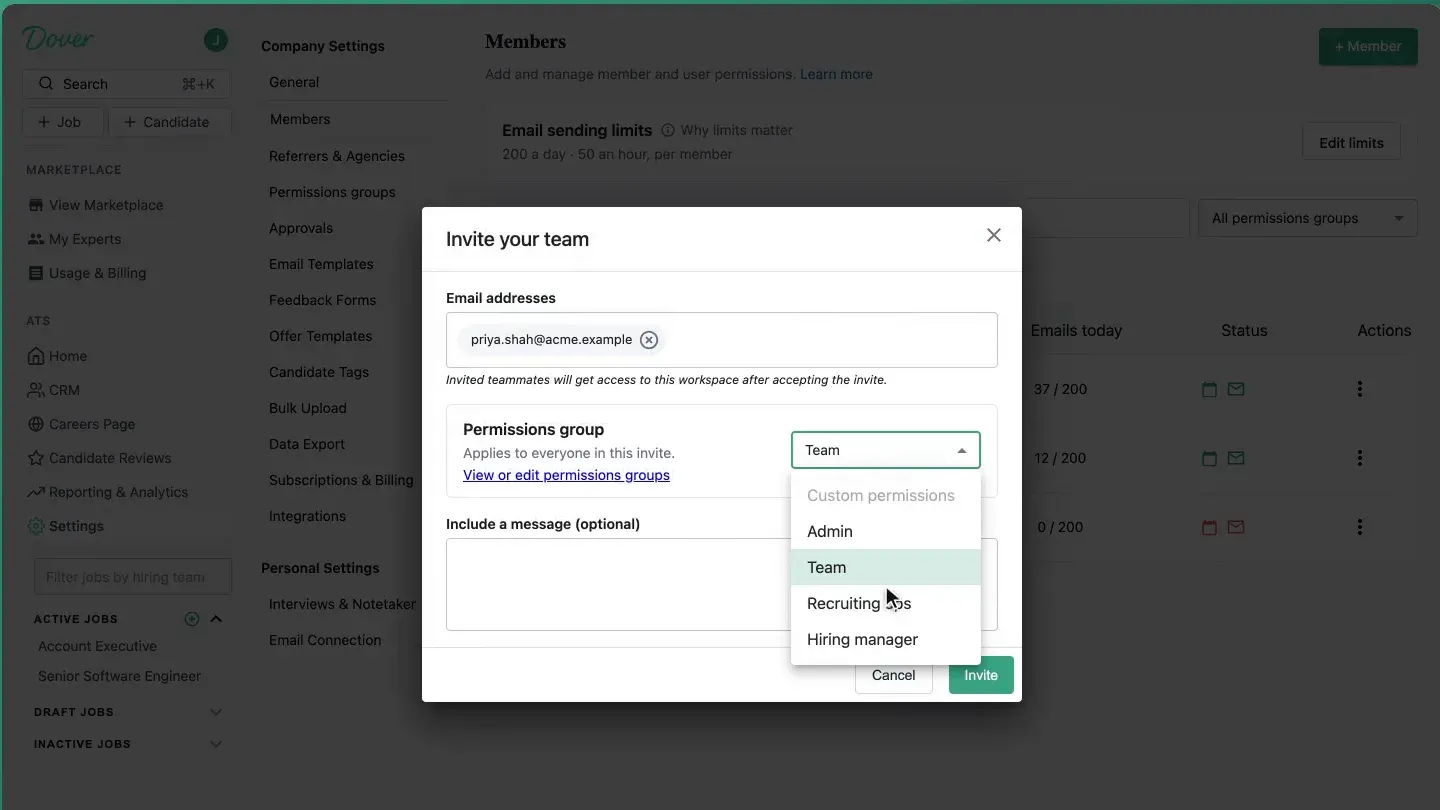
- Choose permissions before someone joins. In Invite your team, pick a Permissions group along with the email addresses. It applies to everyone in that invite, so send separate invites to people who need different access.
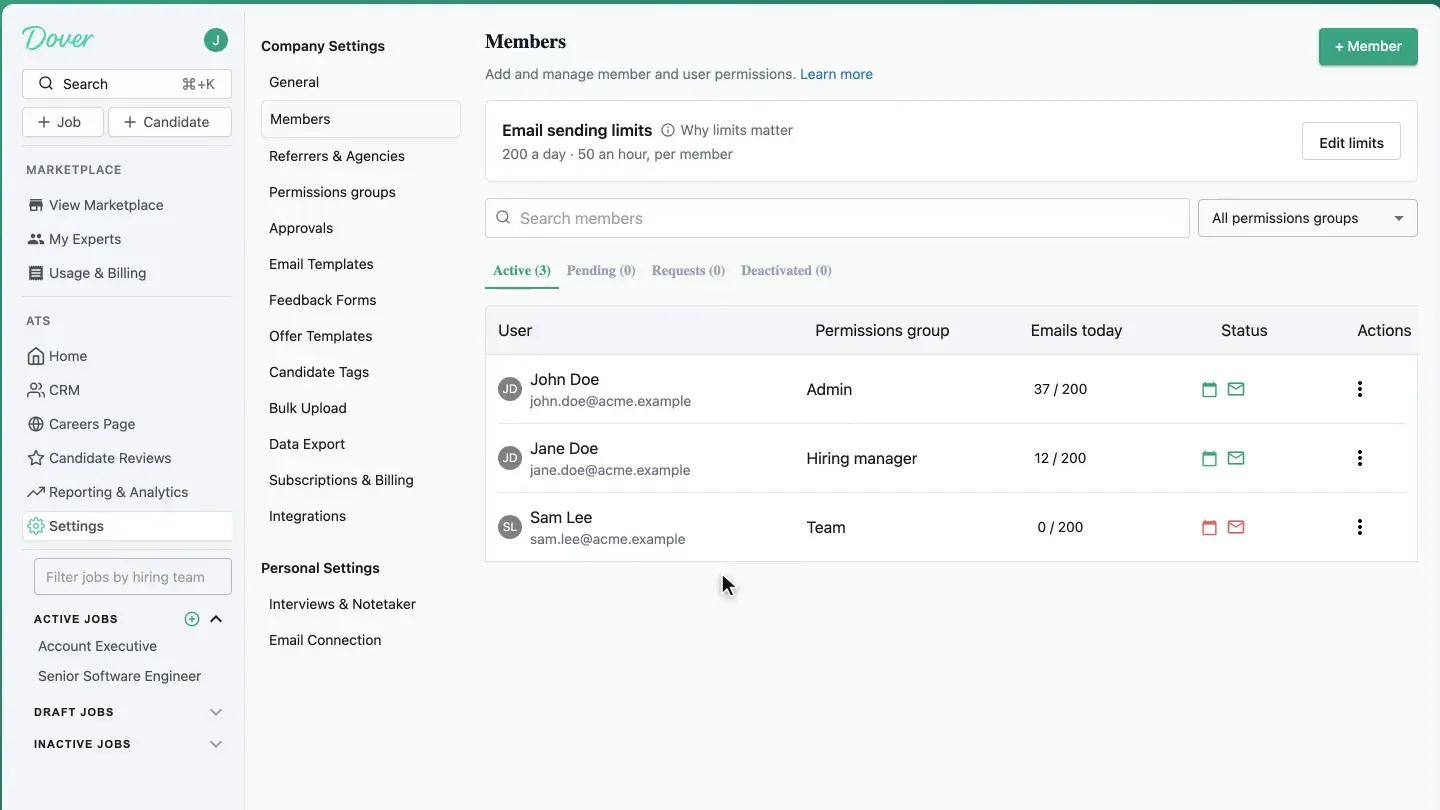
- Keep track of invites. The Pending tab lists people who haven’t joined, with the group each will get. Click Resend invite or Revoke invite there.
- Answer requests in one place. The Requests tab collects people asking to join your company and members asking for a permission. Approving either one asks you to choose a permissions group. Teammates who want to send emails as you appear there too.
No one gets new access until a person approves it.
Set up member invites with permissions
- Someone with Manage members opens Settings → Members and clicks + Member.
- Enter the email addresses, pick a Permissions group and send the invite.
Then check Pending for old invites to revoke. Full steps and screenshots are in the help article.
Member invites availability and pricing
These tabs are on Free and Premium. Custom permissions groups and people outside your company’s email domains need Premium. See plans and pricing.
Frequently asked questions
Is setting permissions on a Dover invite free?
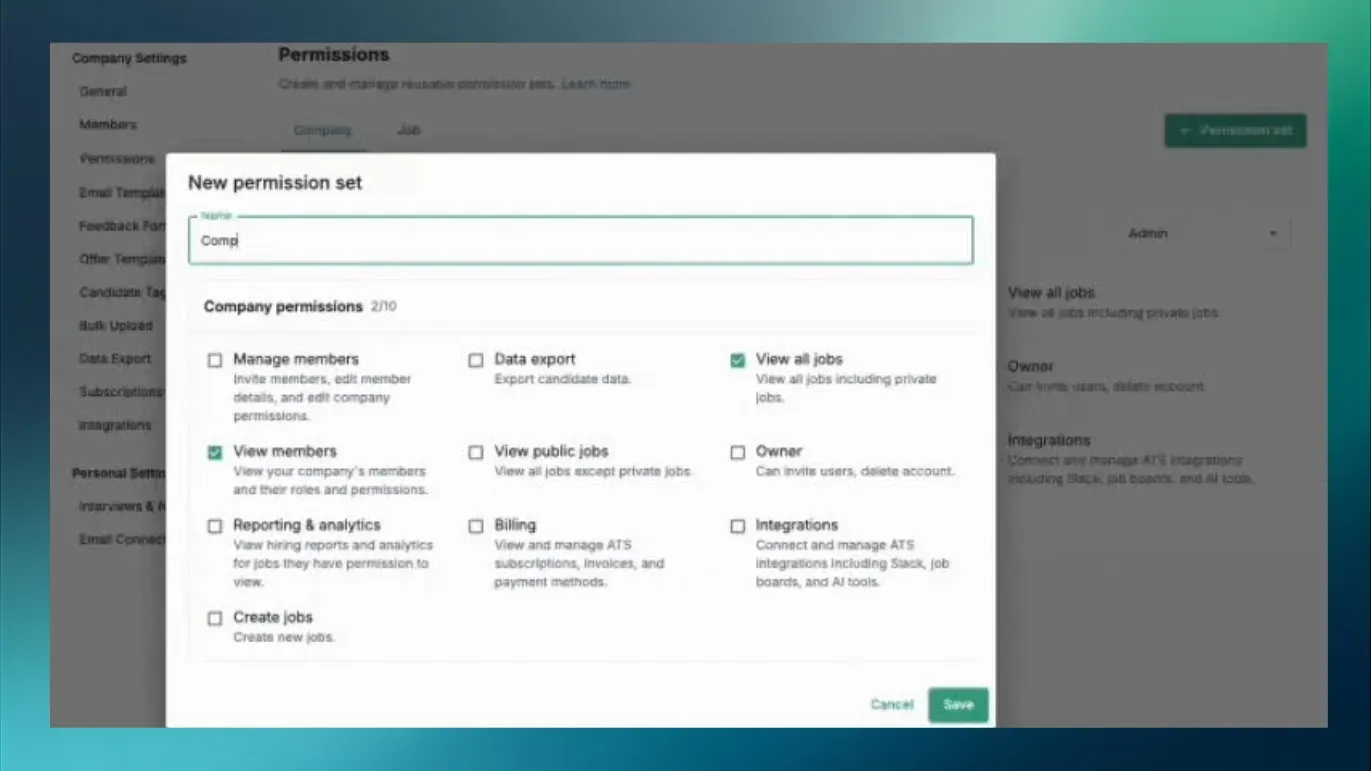
Yes, with the built-in groups. Custom permissions groups and inviting people outside your company's email domains need Premium.
Who can invite people and answer access requests in Dover?
Members with the Manage members company permission. A request to send emails as someone can only be answered by that person.