Overview
Dover’s email sending limits can now be changed by admins on Premium, for the whole company or for one member. They decide how quickly Dover sends your team’s outreach and candidate emails. This matters for domain reputation and deliverability, meaning whether your emails reach the inbox. A sudden burst of email can look like spam to Gmail and Outlook, and a damaged domain reputation can push even your replies to candidates into spam folders.
What email sending limits do
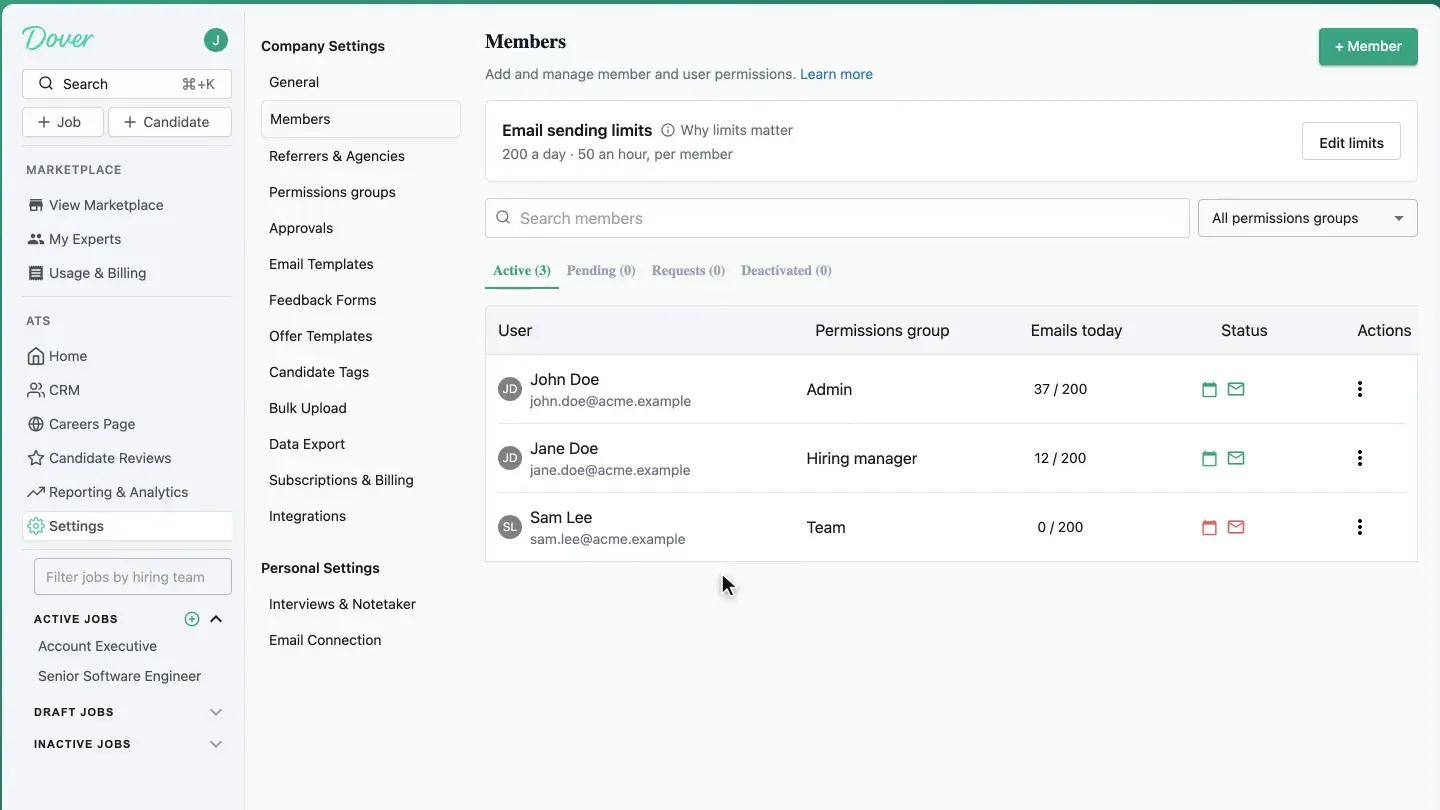
- Set the pace for the company or one person. Choose Emails per day for everyone, or a different limit for one member. Emails today shows how many emails each member sent in the last 24 hours.
- Hold extra emails until there’s room. Emails over the limit wait and send automatically. Emails scheduled for a later time keep their time.
- Keep room for replies. Campaigns stop at 80% of the daily limit. The rest stays free for replies and one-to-one emails, so a large campaign doesn’t hold up a candidate who is waiting for an answer.
Set up email sending limits
- Open Settings → Members and click Edit limits to set Emails per day. Advanced has the hourly, weekly and shorter limits.
- To change one member’s limit, click their number under Emails today.
Check Emails today for the people who send the most, and change one person’s limit before you change the company’s. Full steps and screenshots are in the help article.
Email sending limits availability and pricing
Changing limits needs Premium ($199/month) or Enterprise, and the Manage members permission. Free uses the defaults of 200 emails a day and 50 an hour. Your email provider has its own daily limit, and Dover can’t raise it. See plans and pricing.
Frequently asked questions
Is changing Dover email sending limits free?
No, it needs Premium, and Enterprise includes it too. On Free, each mailbox sends up to 200 emails a day and 50 an hour.
What happens to emails over the Dover sending limit?
They wait and send automatically once there's room. Emails scheduled for a later time keep their time.
Can a member ask for a higher Dover email sending limit?
Yes. In Account settings → Email & Calendar, they click Request a change under Sending limits. An admin approves or denies it on the Requests tab of Settings → Members.