Overview
The Support Message Center is where you message Dover’s support team and read the answers, inside the app. Anyone with a Dover account can open it on any plan, and answers about the ATS are included with Premium.
Asking for help by email takes you away from the screen you have a question about. The thread ends up in one person’s inbox, and later it’s hard to tell whether an issue was solved or is still being worked on.
What the Support Message Center does
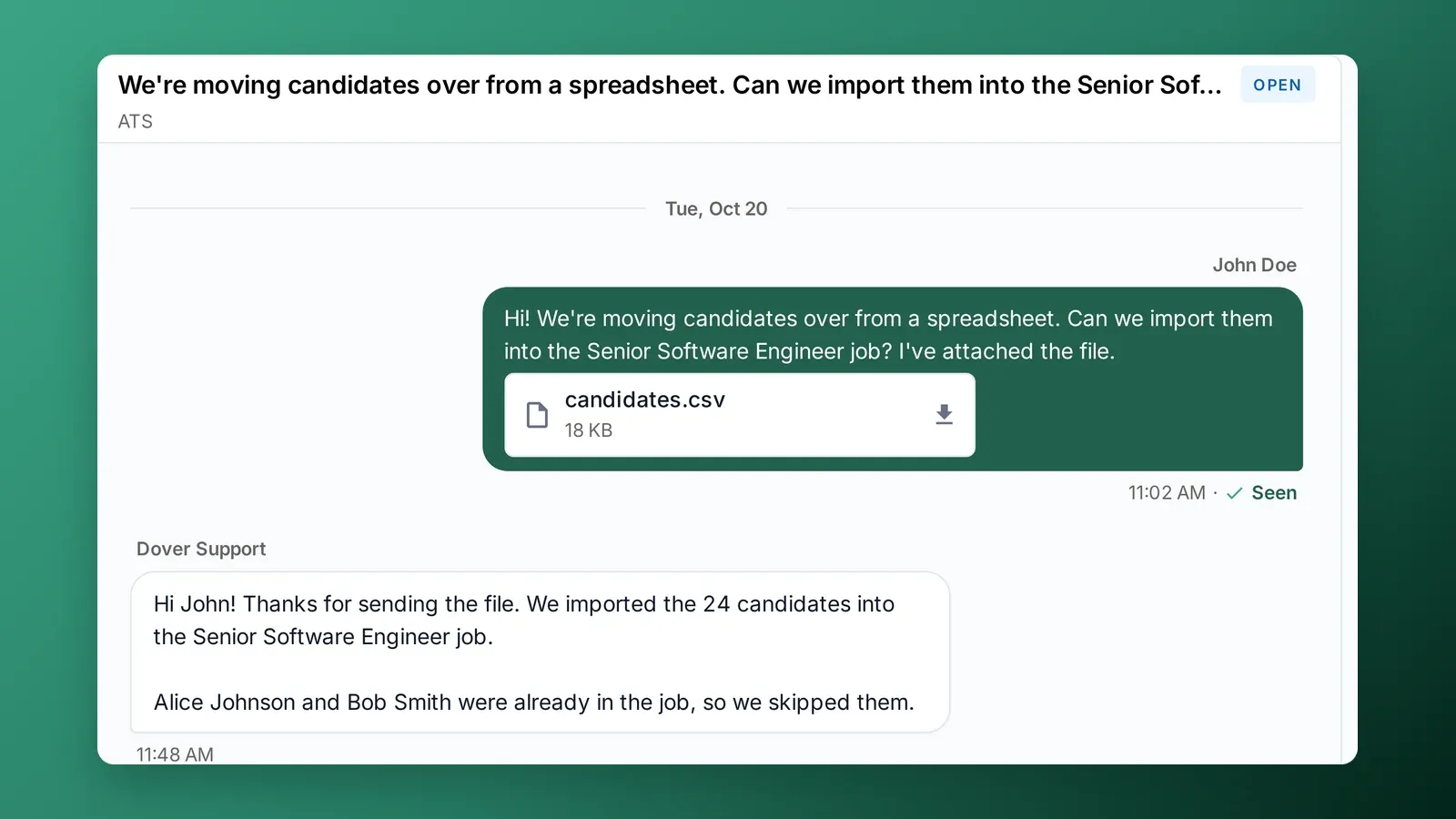
- Ask a question from any page. Open Get Help at the bottom of the sidebar and click Contact Support. You can drag in files or paste a screenshot straight into the message box, so you don’t have to describe what’s on your screen.
- Follow each conversation to an answer. Because each issue has its own conversation, you can report a problem today and ask a billing question tomorrow without mixing them up.
- Find an earlier answer. Search covers the text of your messages, conversation numbers and the names of attached files, whether a conversation is open or resolved. You can sort the list by recent activity, unread, newest or oldest.
The people on Dover’s support team reply to you there, usually within one business day.
How the Support Message Center works
Every conversation has a number and a status. Open means it’s waiting, In progress means Dover is working on something that takes longer, such as a bug, and Resolved means it’s done. Reply to a resolved conversation and it opens again.
When you write, you choose a topic so your message reaches the right people:
- ATS for jobs, candidates, scheduling and settings
- Recruiter Marketplace for working with experts
- Job boards & billing for paid postings, such as LinkedIn or Indeed, and any billing question
Set up the Support Message Center
- Click Get Help → Contact Support in the sidebar.
- Choose a topic, write your message and click Send.
There’s nothing to turn on. The next time you’re stuck, attach a screenshot of the page. If you can’t sign in, use Contact support on the Dover login page instead. Full steps and screenshots are in the help article.
Support Message Center availability and pricing
You can send a message on any plan. What gets a reply from the team depends on the topic:
- ATS: included with Premium ($199/month) and Enterprise. On Free, an automatic reply links to the Help Center and to an upgrade.
- Recruiter Marketplace: for companies that have joined the marketplace.
- Job boards & billing: answered on every plan.
See plans and pricing.
Frequently asked questions
Is Dover support free?
It depends on the topic. Messages about job boards and billing are answered on every plan, ATS support needs Premium or Enterprise, and Recruiter Marketplace support is for companies that have joined the marketplace.
How will I know Dover Support replied?
The conversation shows a dot in your Messages list. If you haven't opened the reply within 10 minutes, Dover emails it to you with a link.
Can I send screenshots to Dover Support?
Yes. Attach up to 5 files to each message, up to 10 MB each, including images, PDFs, and Word and Excel files.