Overview
Dover’s careers page API gives your developers what they need to show Dover jobs on your own website and accept applications there. It’s included in Premium, for teams that want full control of the page’s design. Hosted careers pages are quick to set up, but rebuilding one by hand means copying each job, updating it whenever a title or location changes, and finding a way to get applications back to your hiring team.
What the careers page API does
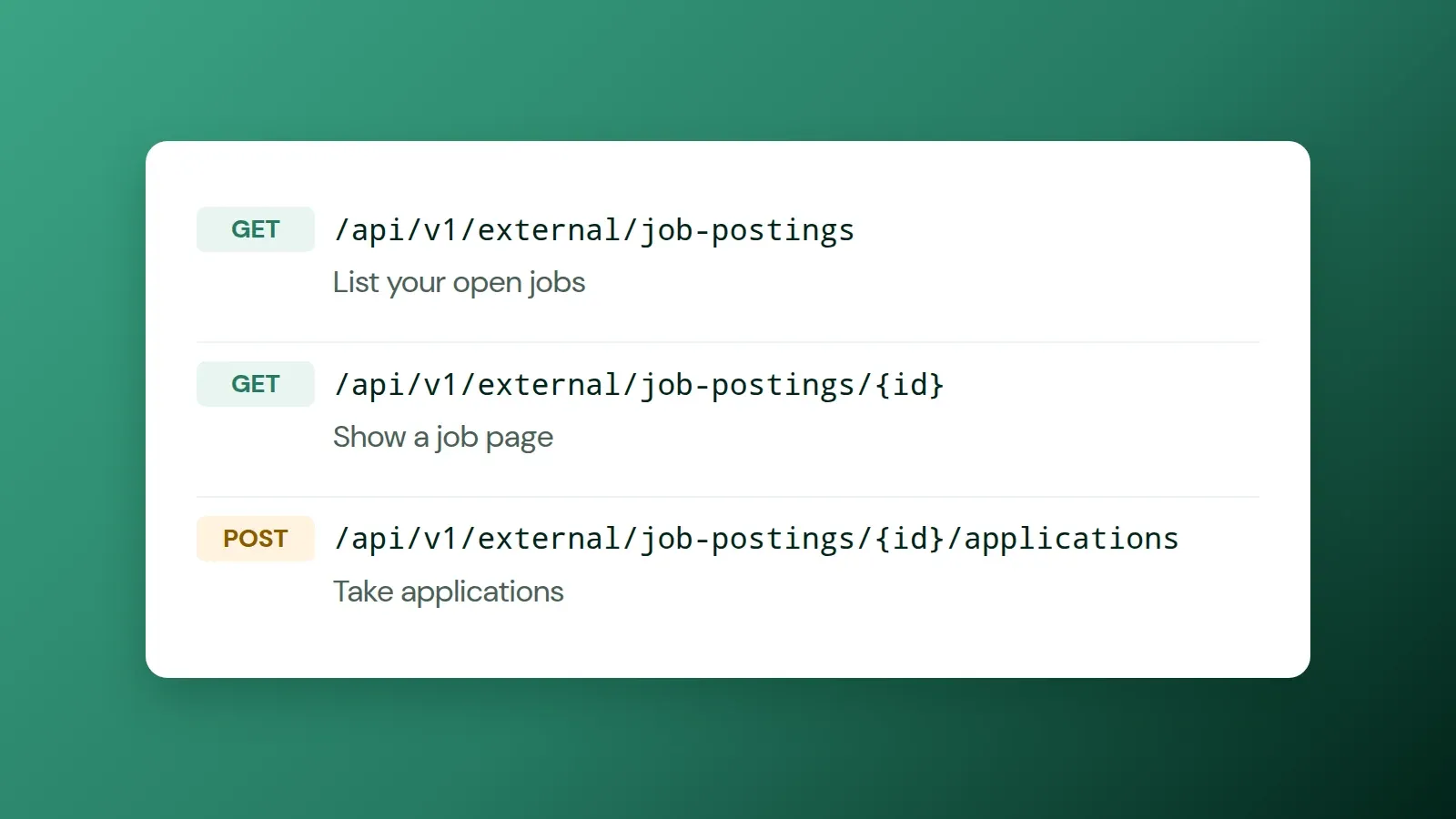
- List your open jobs. Your site can request every job published to your Dover careers page, with its title, locations and workplace type.
- Show a complete job page. Request a single job to get what a candidate needs to decide: the description, locations and pay, a preview of the interview plan, the application questions to show, and the voluntary EEO survey when the job collects it. Applicants must be able to skip any survey question.
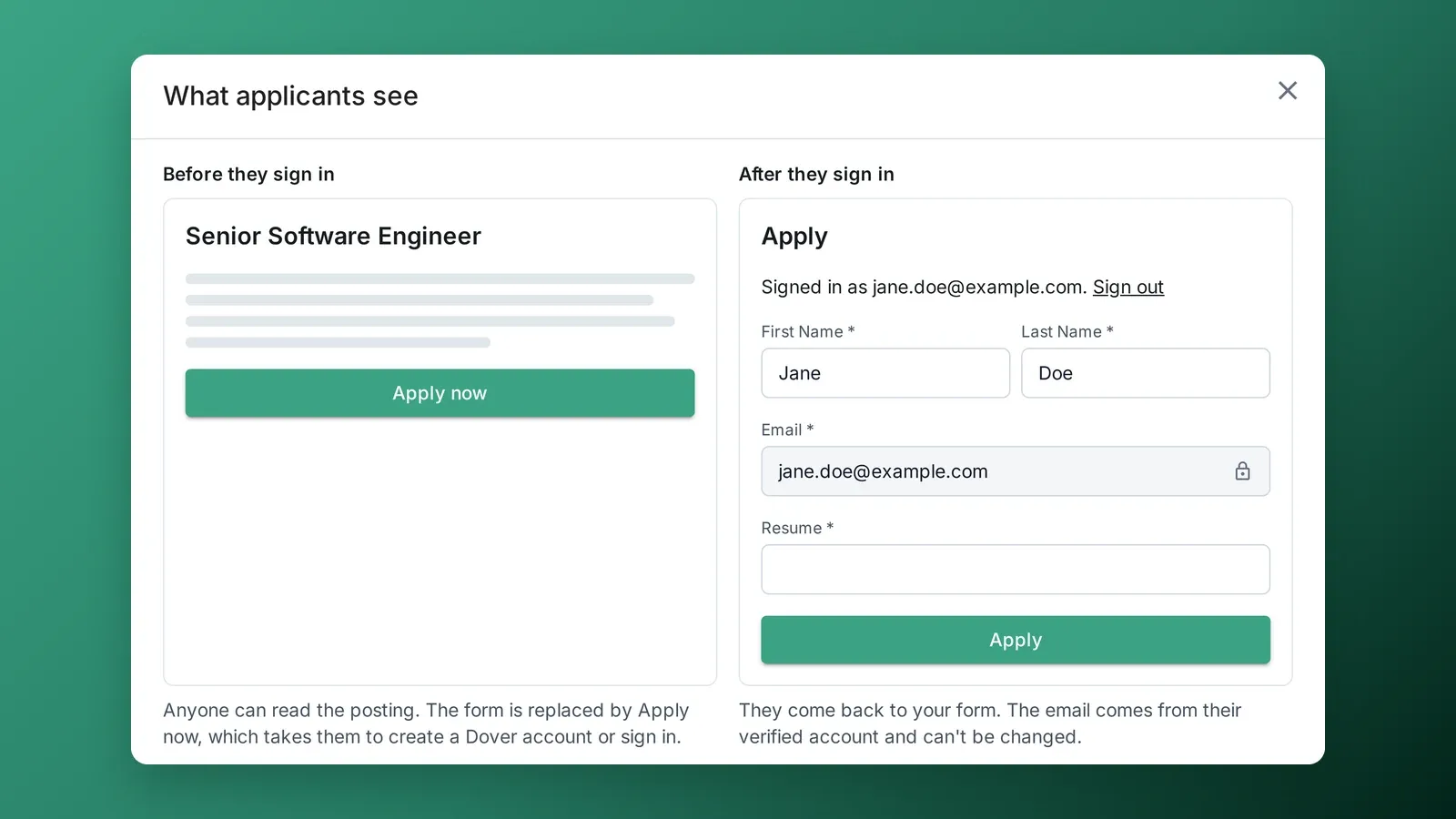
- Take applications on your own site. Your site submits the candidate’s details, resume and answers to Dover.
How the careers page API works
Dover stays the place where you edit jobs and review applicants. Your site asks Dover for the latest details and sends applications back. Publish a job in Dover and it’s in the next response. Unpublish it and it’s gone.
A submitted application joins the job as an inbound applicant, the same as one from your Dover careers page, and your team still decides who moves forward. Document upload questions aren’t included, because the API accepts no files other than the resume.
The API docs include a prompt you can hand to a coding assistant. It points the assistant to Dover’s full specification, so it works from the real endpoints.
Set up the careers page API
- Someone with the Integrations company permission opens Settings → Integrations → Dover API.
- Copy the key and give it to your developer, who keeps it on your server.
- Your developer lists your published jobs on a test page, then builds one job page.
Submit a test application before you put the page live. Full steps and screenshots are in the help article.
Careers page API availability and pricing
The API is included in Premium at $199/month. Calls on Free are refused. Make every call from your server and never put the key in a web page, where visitors could read it. See plans and pricing.
Frequently asked questions
Is the Dover careers page API free?
No. The Dover API is included in Premium, which is $199/month, and isn't available on Free.
Which jobs does the Dover careers page API return?
Only jobs published to your Dover careers page. Drafts, closed jobs and private jobs aren't returned.
Can applicants upload a cover letter through the Dover careers page API?
No. The resume is the only file it accepts. Document upload questions are asked only on Dover's own application page.