Overview
Dover’s Candidate hired webhook tells your own systems when a candidate’s status changes to hired. It’s included in the Premium plan, for teams whose HR, IT or onboarding tools need to know about each new hire. Getting a new hire ready usually starts with someone retyping their details, and if that person is out, the laptop order and the paperwork wait.
What the Candidate hired webhook does
Each request includes:
- The candidate’s name, email and LinkedIn ID.
- The job’s ID and title.
- The stage they were in, if they had one.
- The time Dover recorded the hire.
It works for bulk actions too. The event is sent once each time a candidate’s status changes to hired, and people who were already hired are skipped. The email is empty if Dover has none on file. Your team still decides who is hired. The webhook only reports it.
Set up the Candidate hired webhook
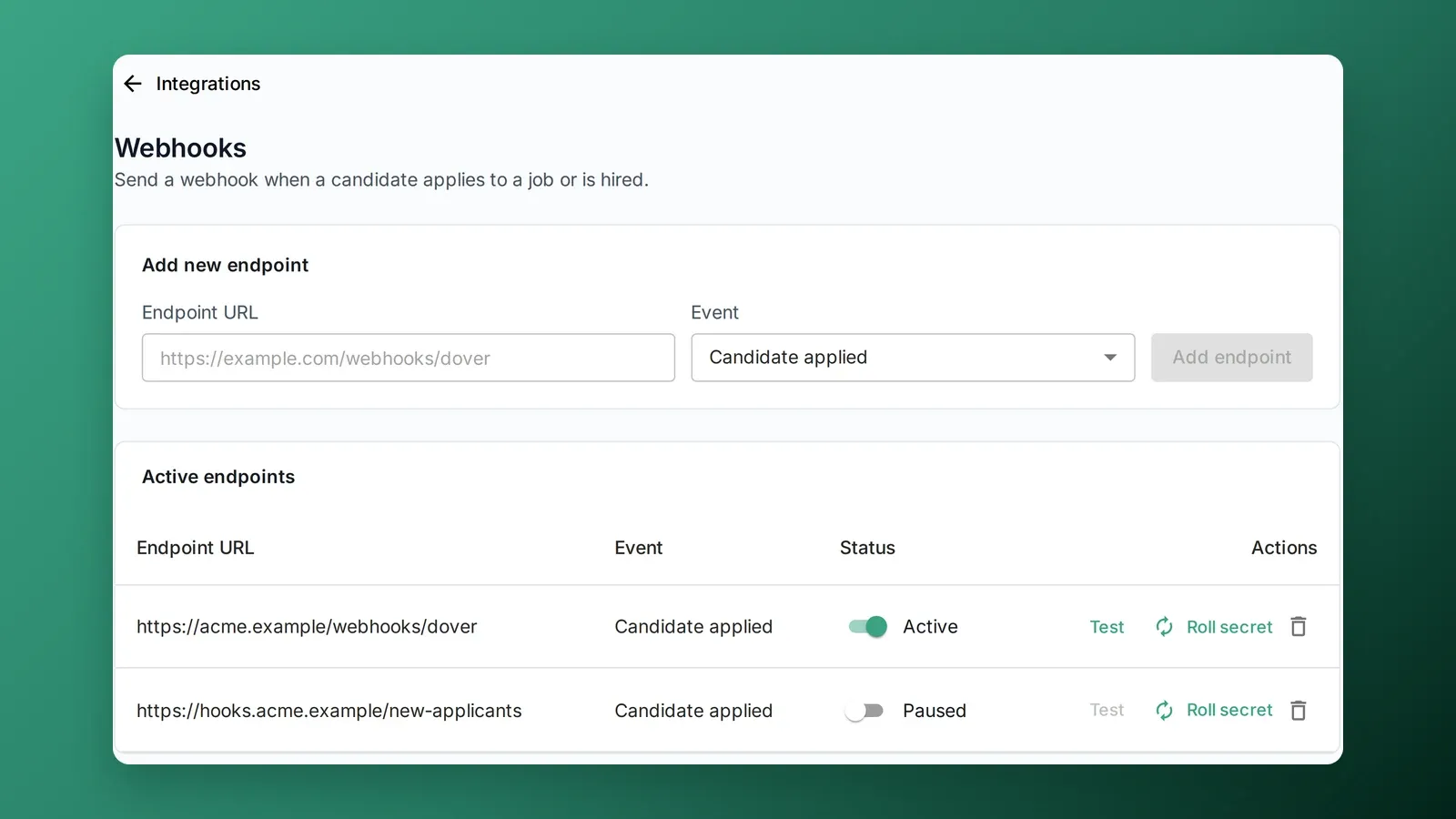
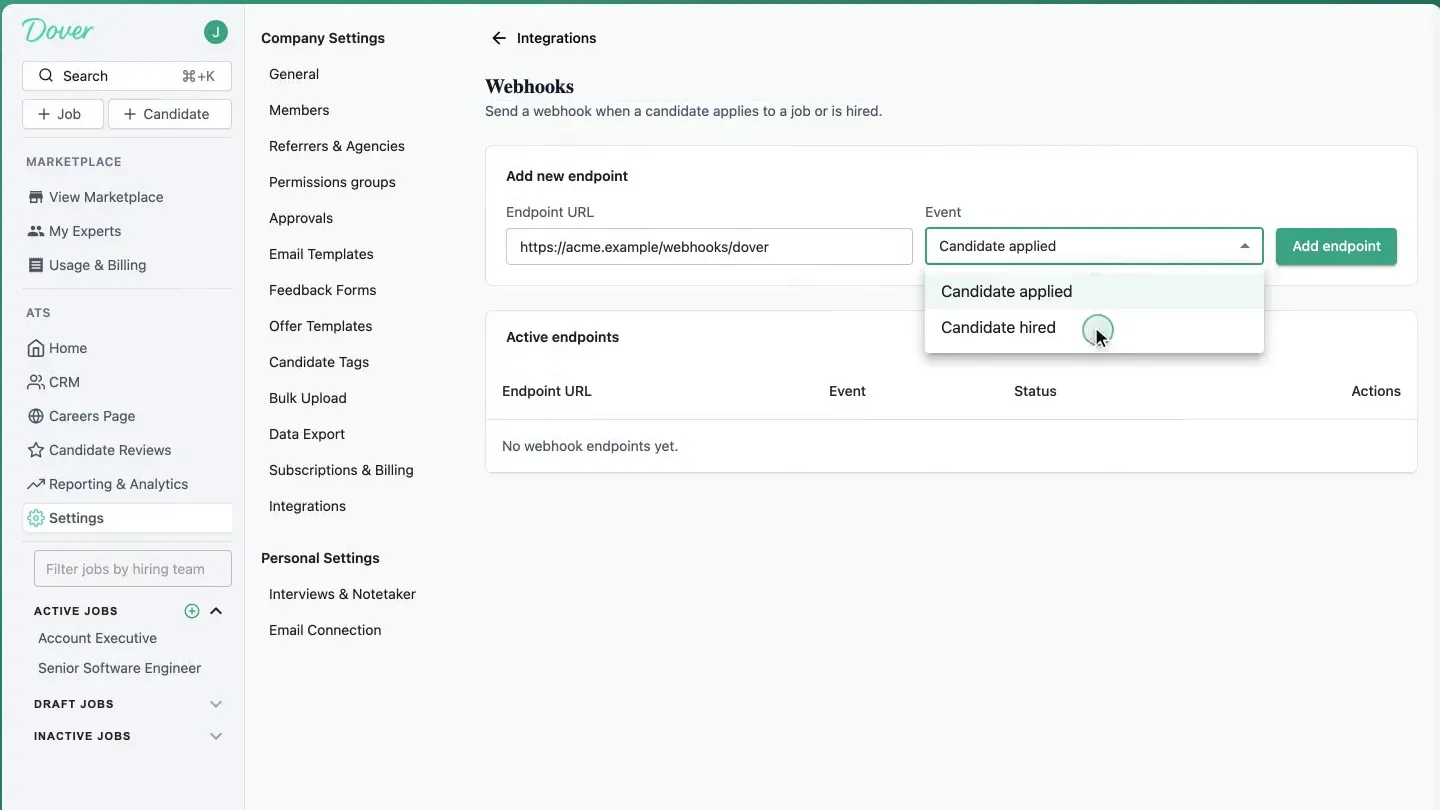
- An admin opens Settings → Integrations → Webhooks and enters the Endpoint URL.
- Choose Candidate hired and click Add endpoint, then save the signing secret.
Click Test to check that your system answers before the next hire. Full steps and screenshots are in the help article.
Candidate hired webhook availability and pricing
Webhooks are included in Premium at $199/month, and aren’t included in Free. Managing them needs the Integrations company permission. An endpoint gets one event, so add a second endpoint if you also want Candidate applied. See plans and pricing.
Frequently asked questions
Is the Dover Candidate hired webhook free?
No. Webhooks are included in Premium, which is $199/month.
Does the Dover Candidate hired webhook send twice if someone is marked hired twice?
No. Marking someone who is already hired as hired again doesn't send another event.