Overview
Dover CRM is one list of everyone in your Dover account, whichever job they applied to. It’s included in Free and Premium, for any team that wants to reuse the candidates it already knows. Pipelines are built around jobs, which works until you need a person: you remember a great designer from last spring but not which opening they applied to, or two teams are talking to the same engineer without knowing it.
What Dover CRM does
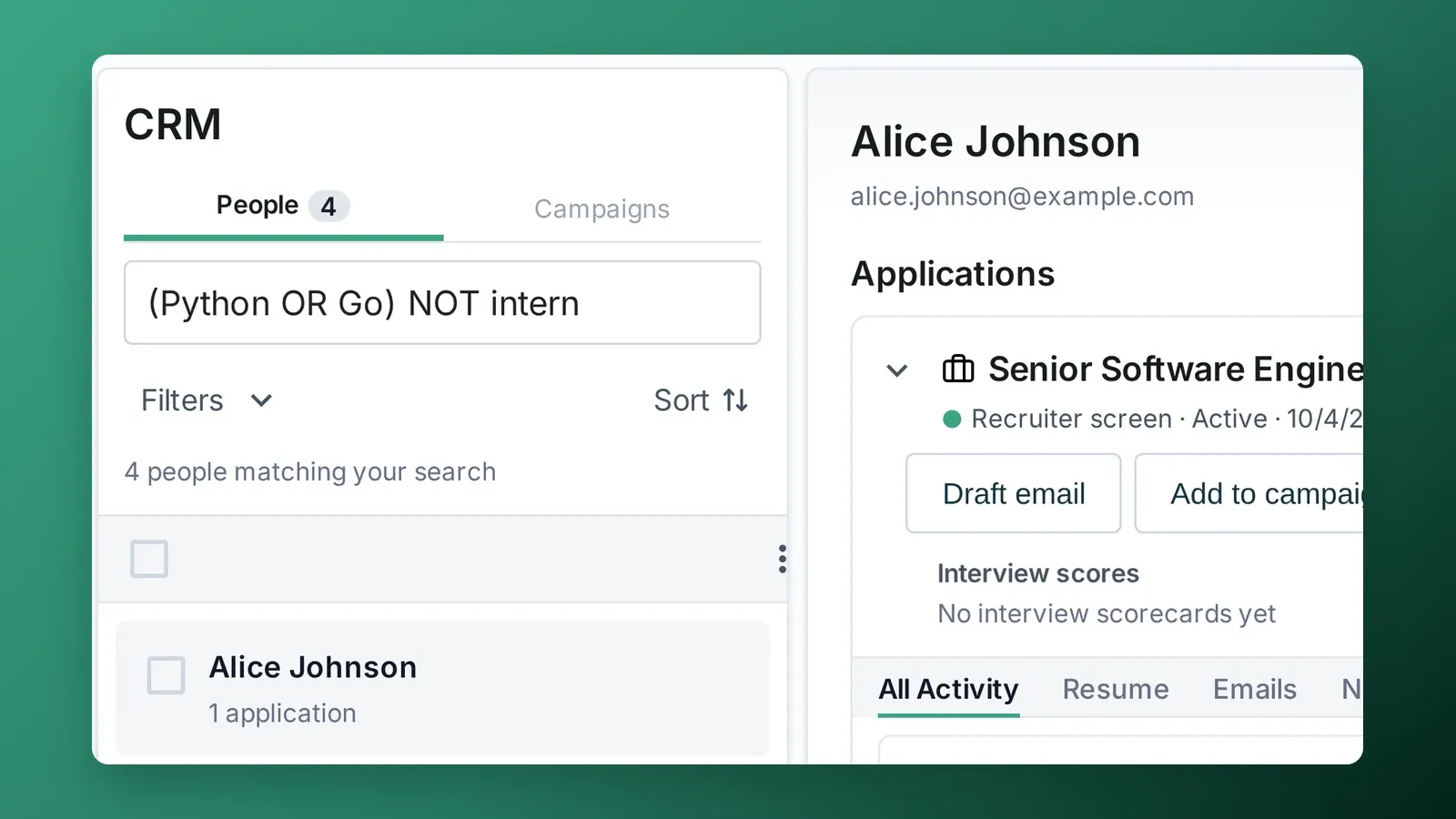
- Finds someone across every job. Search by name, email or keywords. Filter by Job, Status or Tags; status covers people who are active, withdrew, or were hired, rejected or snoozed. Sort by Newest, Oldest, Name or Applications.
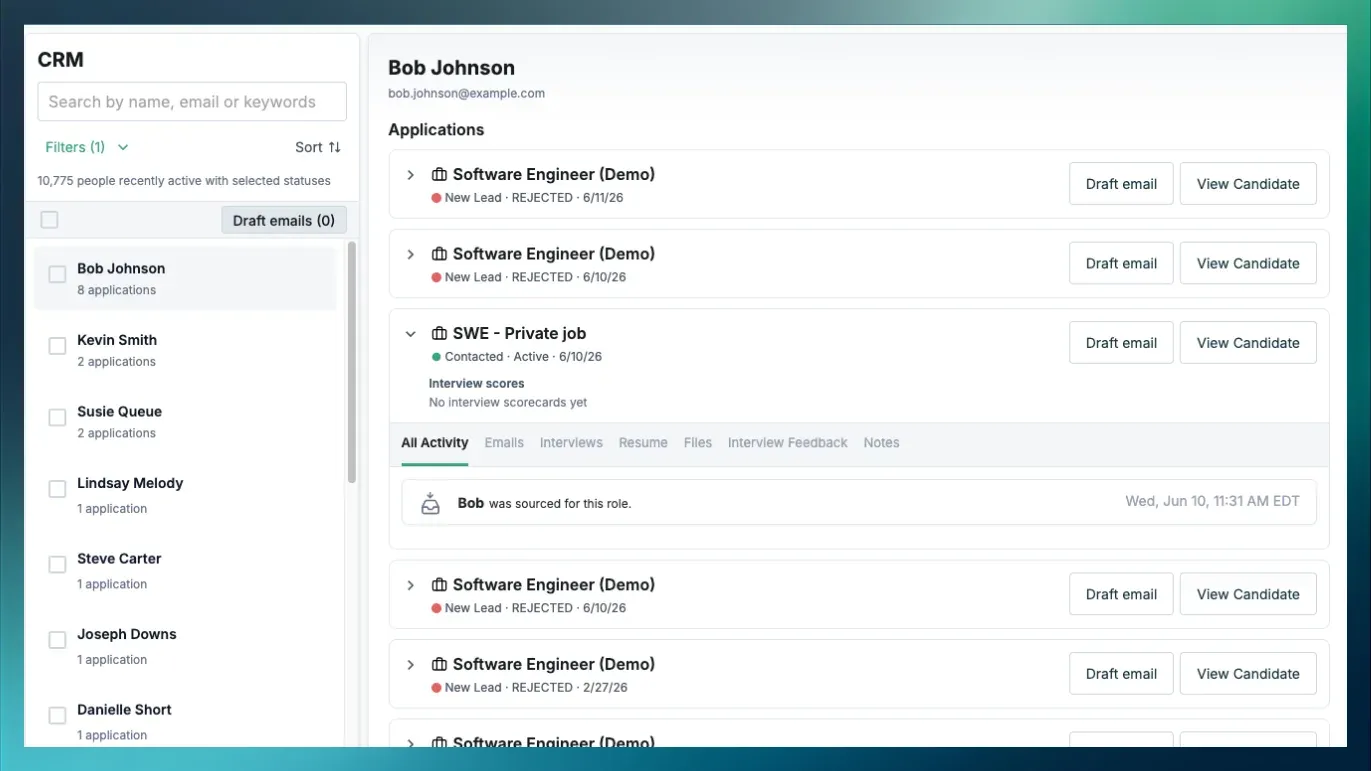
- Shows their full history. Click a person to see every application they’ve made that you have access to, the stage each one reached and the interview scorecards. Expand an application for its activity, so you can read how things ended before you reach out again.
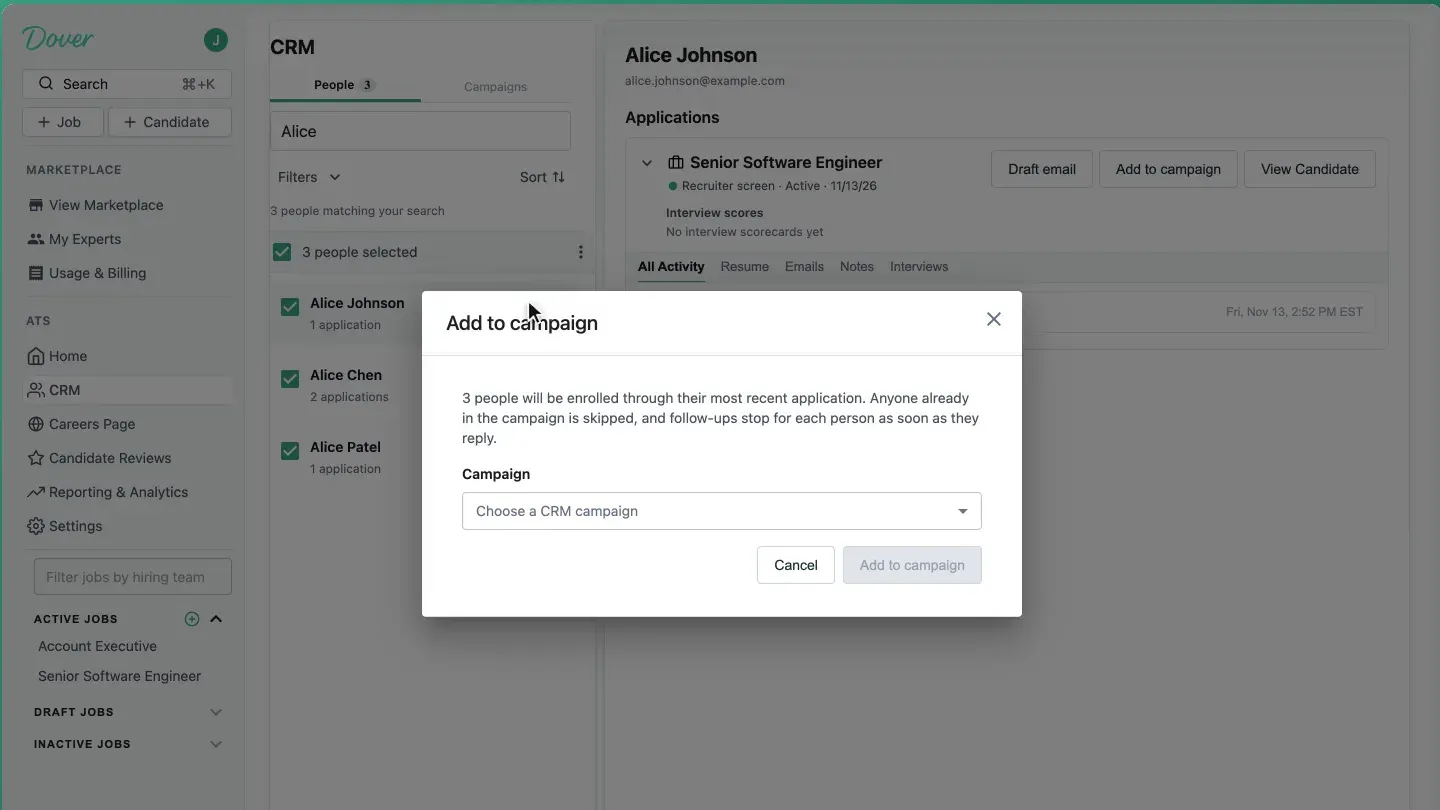
- Emails people without switching jobs. Click Draft email on an application to write to that person in Dover. On Premium, select several people, or everyone your search and filters found, and email them together from Bulk actions.
The CRM starts from the person. Dover gathers the history, and your team decides who to contact and what to say.
How Dover CRM works
Each person appears once, even if they applied to several jobs, with the most recently active first. Searching an email address is a quick way to check whether someone has been in your pipeline before.
Each member sees people through the jobs they’re allowed to see, and interview ratings only where they can view that feedback. Details of candidates with an offer or a hire stay with the people allowed to see them. Bulk email uses each person’s most recent application, so the message has a job behind it.
Set up Dover CRM
- Click CRM in the left sidebar. There’s nothing to turn on, and people are already listed.
- Search, or filter by Job, Status or Tags.
- Click a person to read their history, then click Draft email to write to them.
Filter by the job you last hired for and look at who was rejected late in the process. Add a tag to the ones you’d like to speak to again, so you can filter by it when a similar role opens. Full steps and screenshots are in the help article.
Dover CRM availability and pricing
The CRM is on Free and Premium. Two limits apply on Free: bulk actions open an upgrade message, and older candidate profiles are limited, because Free covers recent candidate history. Premium, $199/month, has the full history. See plans and pricing.
Frequently asked questions
Is Dover CRM free?
Yes, search, filters and emailing one person at a time are on Free and Premium. Emailing or tagging many people at once needs ATS Premium.
Do I need to import people into Dover CRM?
No. Everyone who has applied to your jobs or been added to them is already there.
Does everyone on the team see the same people in Dover CRM?
Each member sees people through the jobs they're allowed to see, and interview ratings only where they can view that feedback.