Overview
Dover application forms now have a Multiple select question type, and you can drag questions into the order you want. Both are included in Free and Premium for anyone who edits job postings. Some questions have more than one right answer, such as which tools someone has used, and free text is harder to compare. Order matters too: applicants should meet your most important question before the optional ones.
What the application form builder does
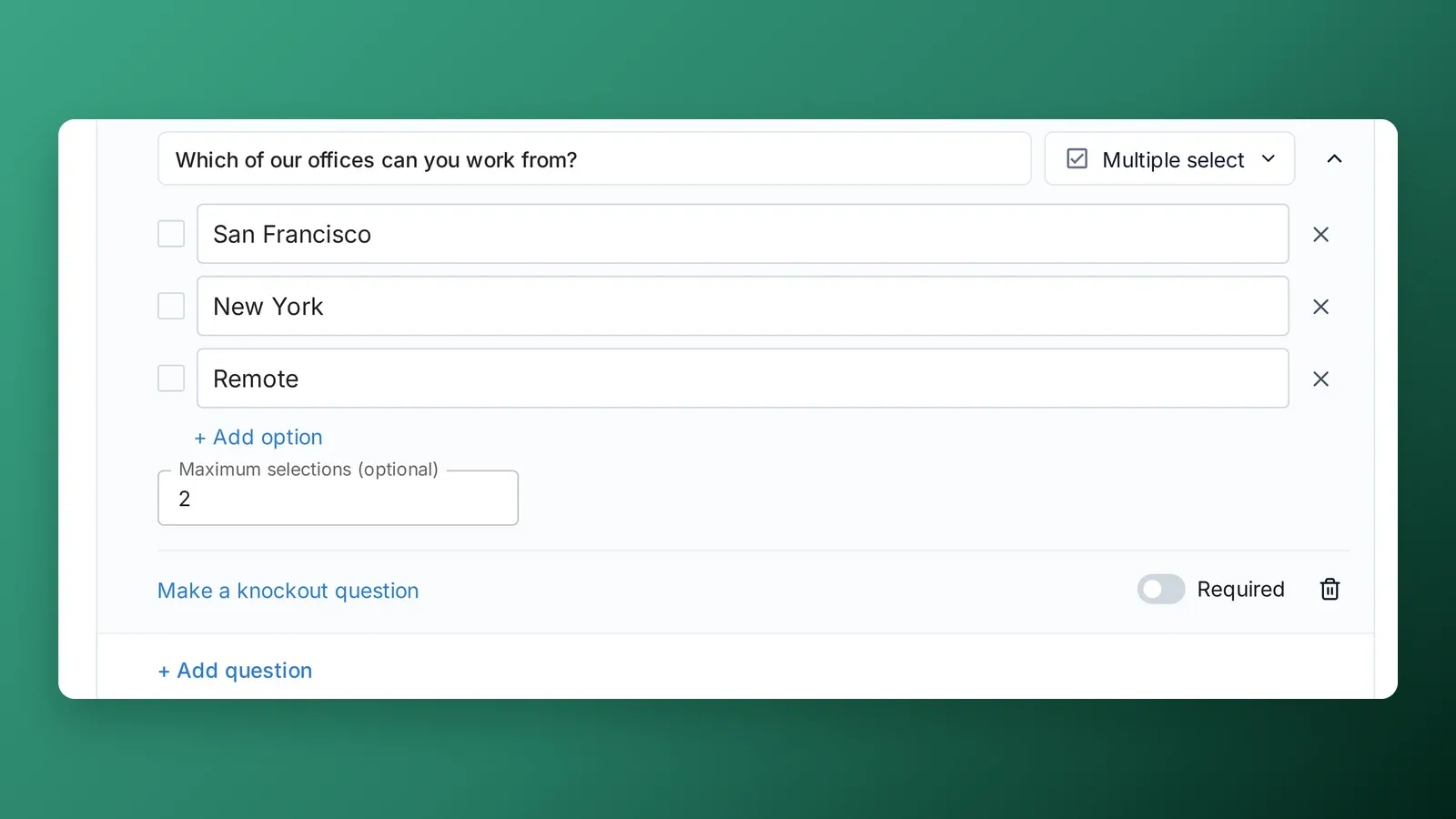
- Accepts several answers. Add a question, choose Multiple select, and list the options. Applicants can tick as many as apply.
- Caps answers if you want. Maximum selections (optional) limits how many they can choose, and Required decides whether they must answer.
- Puts questions in your order. Drag a question by the handle at its left edge. LinkedIn profile and phone number move along with your custom questions. Applicants see the same order.
The selected answers appear with the rest of the application.
Set up the application form builder
You need the Edit job permission.
- Open a job, click Job Posting, and go to Application Form.
- Click + Add question for a new one, or drag an existing one.
- Click Save.
Try moving the question you rely on most to the top of your busiest job’s form. Full steps and screenshots are in the help article.
Application form builder availability and pricing
Both are included on Free and Premium. Making a multiple select question a knockout question, which rejects applicants based on their answers, requires Premium. See plans and pricing.
Frequently asked questions
Are Dover multiple select application questions free?
Yes. Multiple select questions and reordering are available on Free and Premium.
How do I limit how many answers an applicant can pick on a Dover application form?
Open a multiple select question and enter a number under Maximum selections (optional). Leave it empty to let applicants pick as many as they like.
Which questions can I move on a Dover application form?
Your own questions, LinkedIn profile and phone number. Name, email and resume stay at the top of the form.