Overview
Dover’s fraud detection checks an application for five signals that often appear on fraudulent ones and gives the applicant a risk level. It is for anyone who reviews applicants. The Free plan includes 10 checks for each user, and Premium has no limit.
Fake applications are hard to spot one at a time. A resume can look strong while the profile behind it is new, or the same person has applied to many other companies, and finding that out usually means searching by hand after someone has spent an interview on them.
What fraud detection does
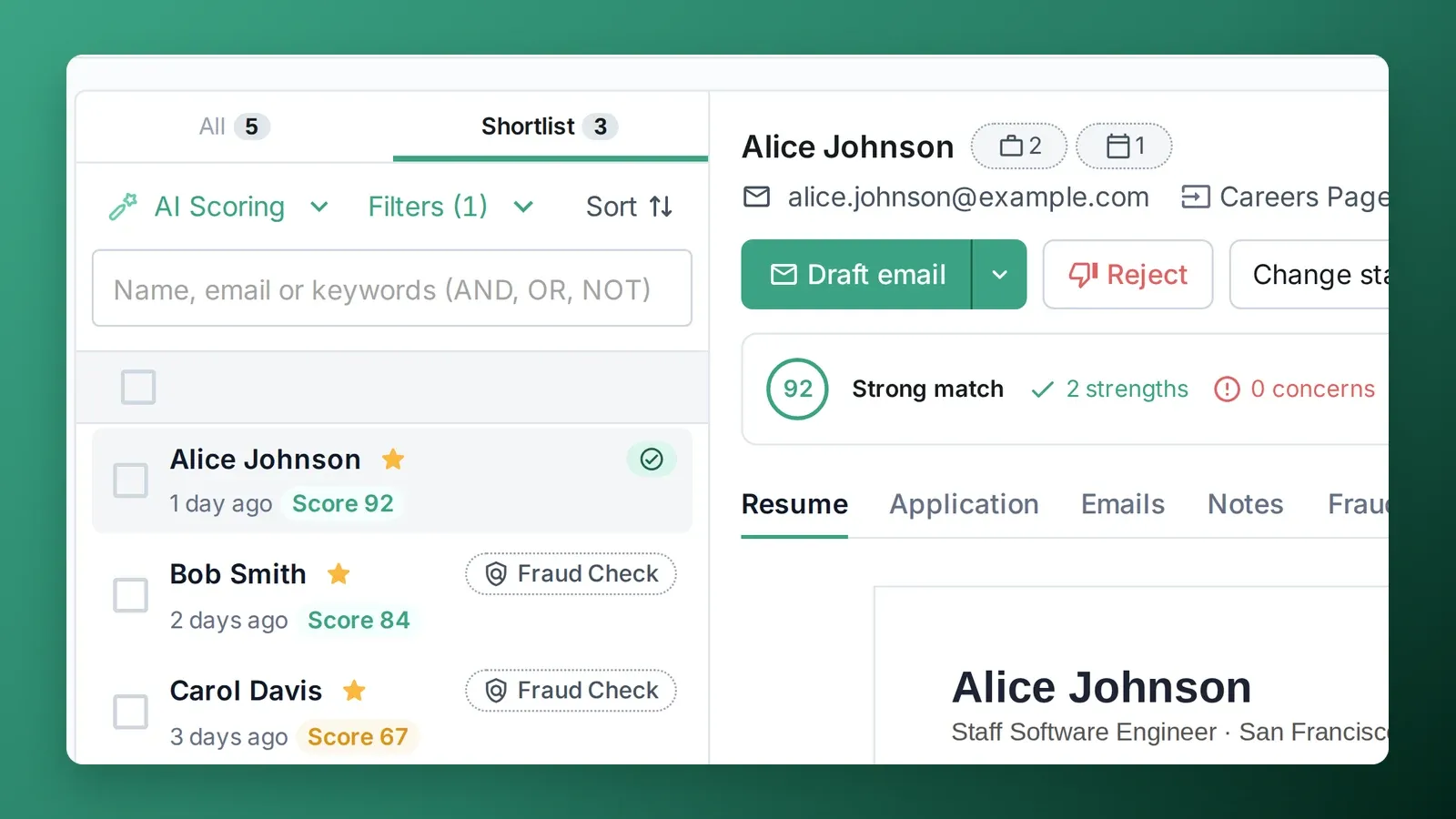
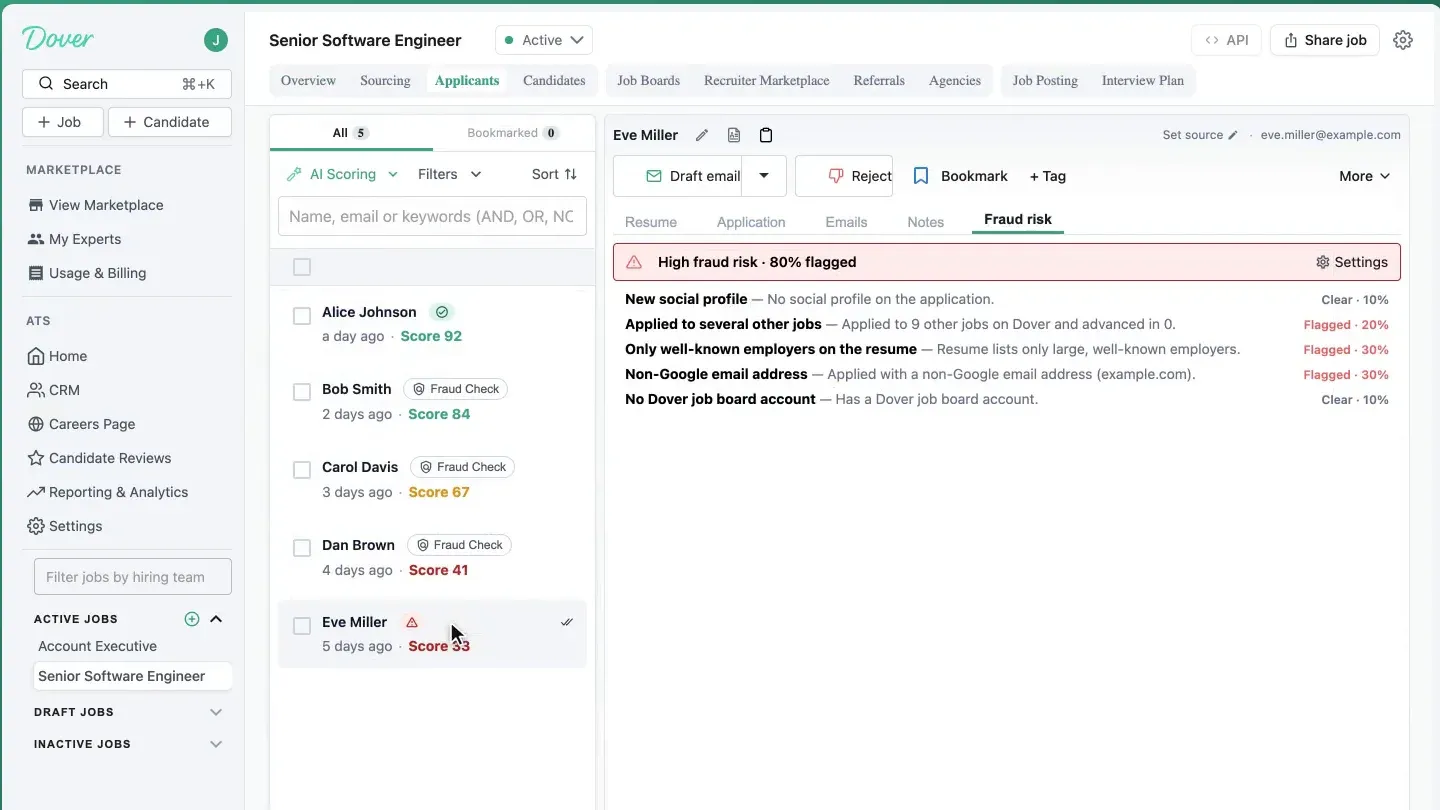
In Applicants, click Fraud Check next to a name. Dover shows the risk level as High, Medium or Low, and opens the Fraud risk tab. Each of the five signals is marked Flagged or Clear:
- a social profile Dover first saw less than a year ago
- 5 or more applications to other jobs on Dover with the same email
- only large, well-known employers on the resume
- an email address that isn’t Gmail
- no Dover job board account with that email
The risk level is a reason to look closer, not proof. Dover never rejects, hides or moves an applicant because of it, and the decision stays with you.
How fraud detection works
Dover adds up the weight of the flagged signals. From 50% the risk is medium, and from 75% it is high. If there is no resume to read, the employer signal shows Not checked and doesn’t count.
On Premium, Dover can check each new application to a job as it comes in. You can also select many applicants and choose Check fraud risk, and filter the list by risk level. Applicants who applied before you turned on automatic checks are not checked on their own.
A signal that matters for one job may mean little for another. On Enterprise, you can set the weight of each signal for a job, or turn a signal off. New weights apply to applications that arrive after you save, and you can check earlier applicants again.
Applicants aren’t told they were checked. Only members of your company see the result.
Set up fraud detection
- Open Applicants and click Fraud Check next to someone you’re unsure about.
- Read the flagged signals on the Fraud risk tab.
- On Premium, someone with the Edit job permission opens the job, clicks the gear icon (Job Settings), and turns on Check new applicants automatically under Fraud risk.
Read the flagged signals before you act on a risk level, because many genuine applicants use a work email or don’t have a Dover account. Full steps and screenshots are in the help article.
Fraud detection availability and pricing
- Free: 10 checks for each user, which don’t come back after you use them. You see the signals for every checked applicant.
- Premium ($199/month): no limit, automatic checks, bulk checks and the Fraud risk filter.
- Enterprise: everything in Premium, plus signal weights for each job.
See plans and pricing.
Frequently asked questions
Is Dover fraud detection free?
Free includes 10 checks for each user, and they don't renew. Premium has no limit and can check new applicants automatically.
Does Dover reject applicants with a high fraud risk?
No. Dover never rejects, hides or moves an applicant because of the risk level. You decide.
How do I turn on automatic fraud checks in Dover?
On Premium, open a job, click the gear icon (Job Settings), click Fraud risk, and turn on Check new applicants automatically.