Overview
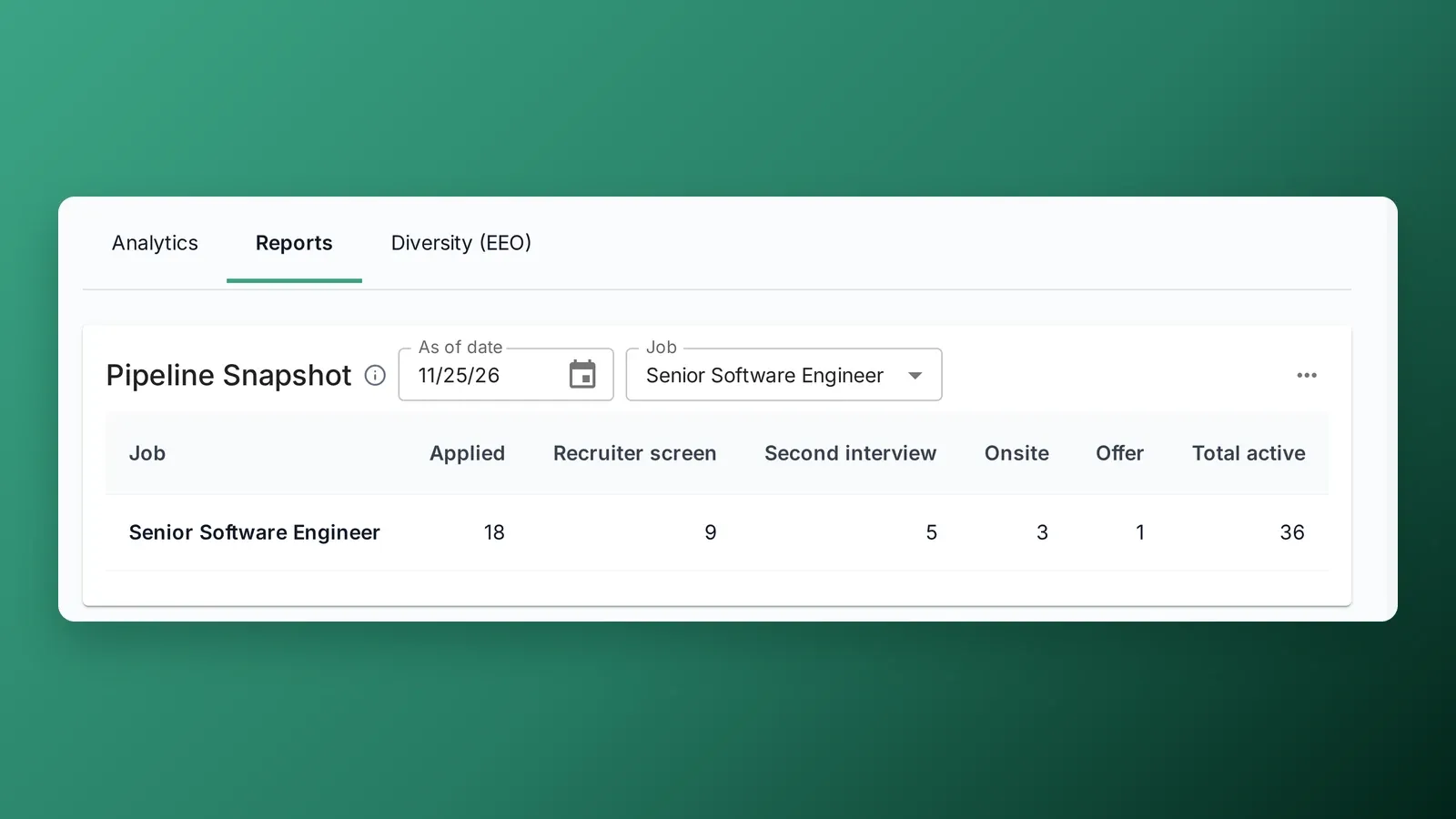
Dover’s Pipeline Snapshot shows how many active candidates a job had in each stage on a date you choose. It’s a report for recruiters and hiring leads on both the Free and Premium plans. A pipeline usually shows only today, so answering whether a search is further along than last month meant having saved the numbers then.
What Pipeline Snapshot does
- Look back at a job’s stages. Choose an As of date and a Job. You get a column for each stage and a total. Switch between two dates to see where candidates have built up or moved on.
- Share what you found. Click the three dots on the report to save it as a PNG, open it full screen or copy a link to it.
- Filter charts by recruiter. The Analytics tab also has a Recruiter filter next to Hiring Manager and Job. Pick more than one person to see only the jobs they run.
Pipeline Snapshot rebuilds the counts from your candidates’ history. What they mean for the search is up to you.
Set up Pipeline Snapshot
- Make sure you have the Reporting & analytics permission.
- Open Reporting & Analytics → Reports, then choose a date and a job.
Start with your longest-running job, and compare today with the first of last month. Full steps and screenshots are in the help article.
Pipeline Snapshot availability and pricing
The report is on Free and Premium. Free accounts can look back up to 6 months, or 1 month for agency accounts. Premium has full history. Dates are in UTC. See plans and pricing.
Frequently asked questions
Is the Dover Pipeline Snapshot report free?
Yes. On Free you can usually go back 6 months, and 1 month for agency accounts. Premium has full history.
Which candidates does Dover Pipeline Snapshot count?
Candidates who were active in a stage on that date. Archived, hired, rejected, withdrawn, snoozed and ignored candidates aren't counted.
Why can't I see Pipeline Snapshot in Dover?
You need the Reporting & analytics company permission. Someone who manages members can give it to you in Settings → Members.