Overview
You can now add an interview booked outside Dover to a candidate’s profile and edit it later. It’s for anyone who schedules by phone, email or another tool, and it’s included in every plan. When a hiring manager agrees a time on a call, the profile otherwise looks as if nothing is happening, and a colleague may chase a candidate who already has a date.
What manual interviews do
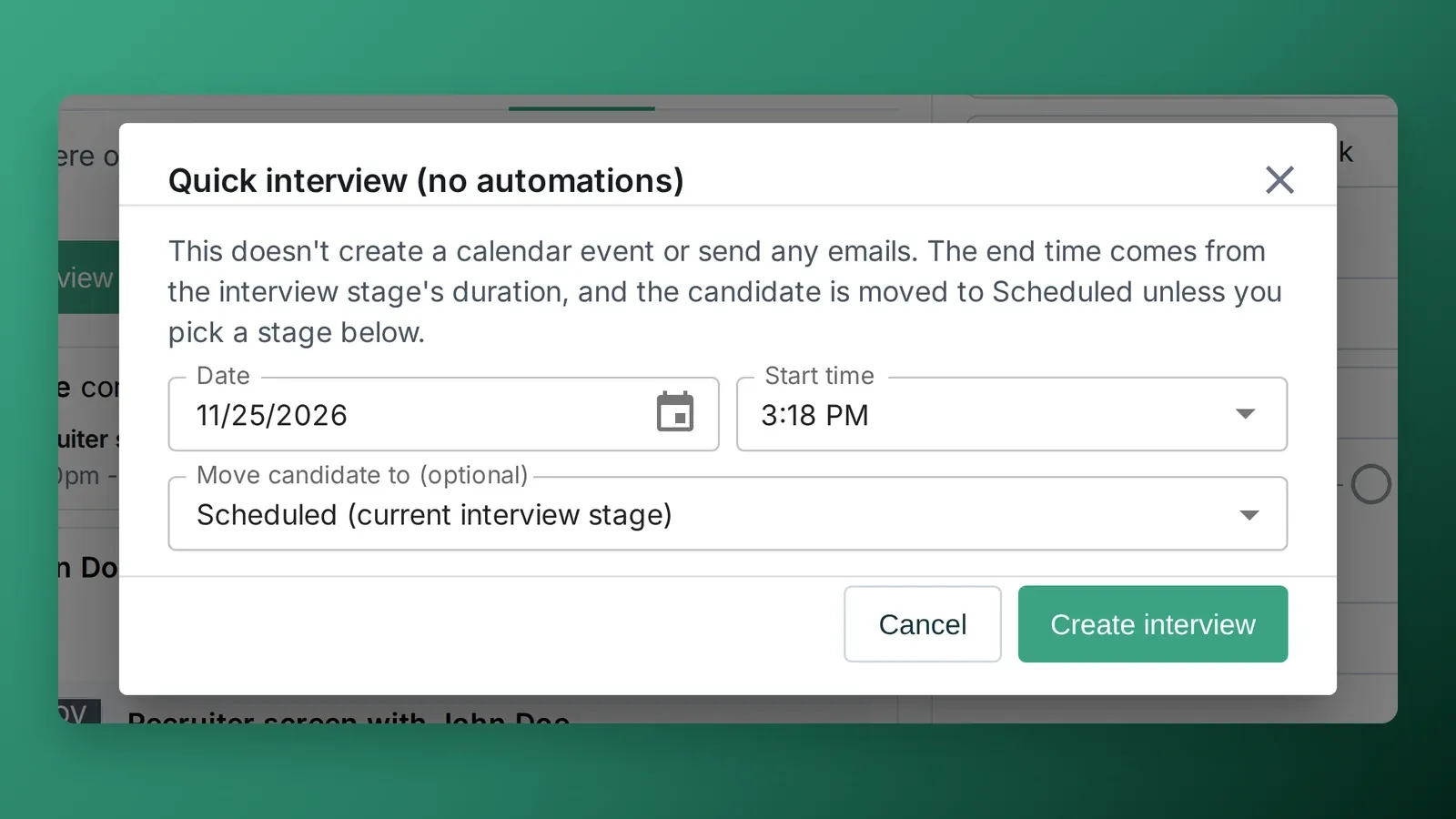
- Add or change an interview by hand. Choose the date and start time. The end time comes from the stage’s duration, or is 30 minutes if there isn’t one. Unless you choose another stage, a candidate who hasn’t reached the offer stage moves to Scheduled. Editing changes the time of that interview only.
- Set a substage. An interview stage has a second menu that shows what’s needed next: Needs Scheduling, Scheduling, Scheduled, Waiting on Feedback or Needs Decision. You can change it without creating a calendar event.
Dover doesn’t create a calendar event or contact anyone.
Set up manual interviews
- Open a candidate’s profile and click Interviews.
- Click Add interview (no automations), then choose the date and start time.
Start with an interview this week that your team booked elsewhere. Full steps and screenshots are in the help article.
Manual interviews availability and pricing
Adding an interview and setting a substage are included in Free, Premium and Enterprise. Mark as scheduled, shown for candidates who were sent an interviewer’s third-party booking link, needs Premium at $199/month. See plans and pricing.
Frequently asked questions
Is adding an interview by hand in Dover free?
Yes. Add interview (no automations) and substages are on Free, Premium and Enterprise. The separate Mark as scheduled button needs Premium.
How do I add an interview by hand in Dover?
Open the candidate's profile, go to the Interviews tab and click Add interview (no automations). The button is there when they have no upcoming interview.
Does the candidate get an email when I add an interview in Dover?
No. Dover doesn't create a calendar event or send anything.