Overview
Dover’s AI Scoring can now use models from Anthropic and Gemini as well as OpenAI. It’s part of the Premium plan, for teams that want to choose which provider reads their applicants’ information. If your company approved a provider other than OpenAI, you no longer need to open and pay for another account.
What AI Scoring with Anthropic and Gemini does
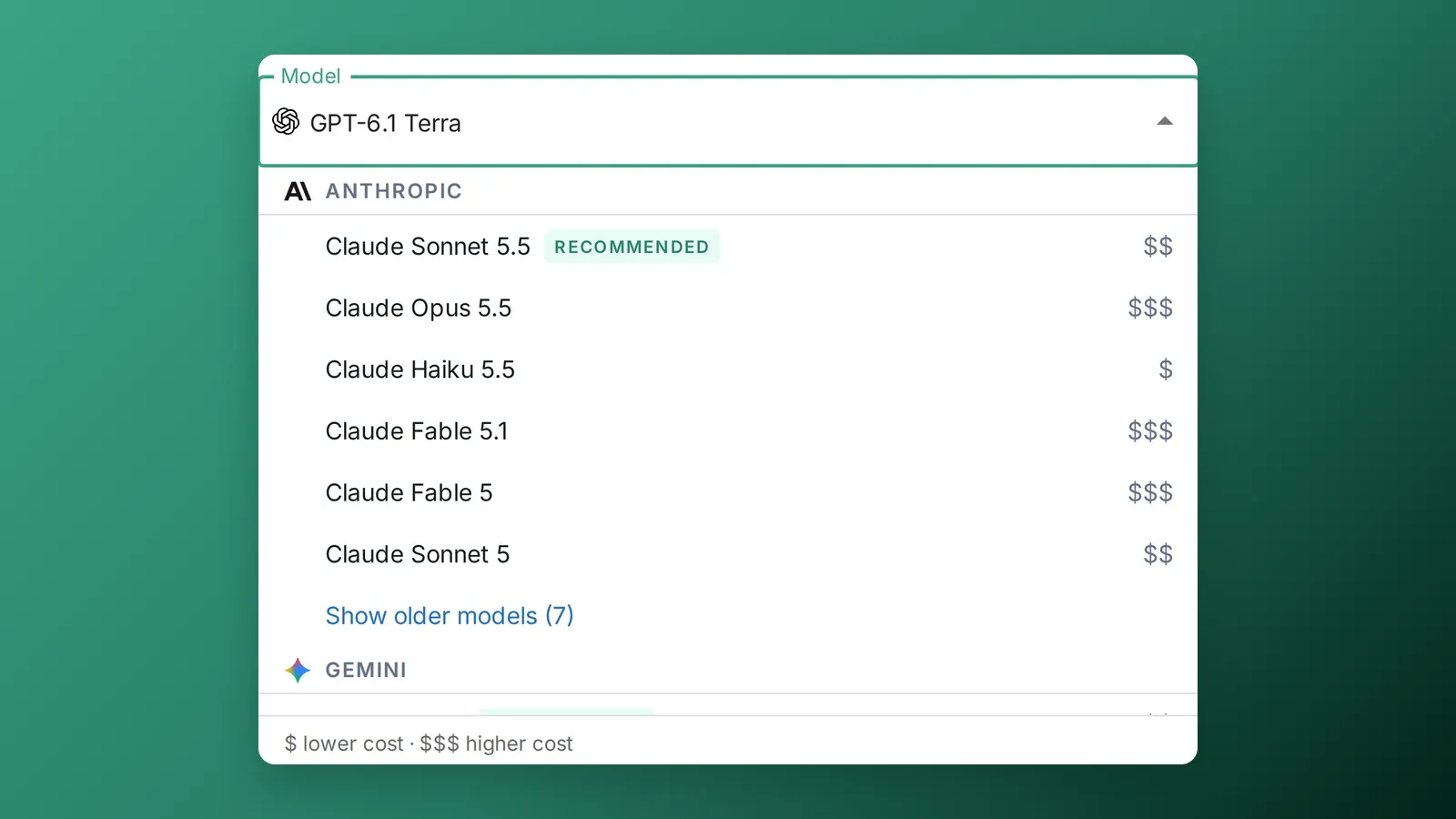
- Groups models by provider. OpenAI, Anthropic and Gemini each mark one model Recommended, and earlier ones are under Show older models. One model scores for the whole workspace.
- Keeps your criteria. Each job keeps the scoring criteria you wrote, whichever provider you choose. Applicants are scored from 0 to 100, with an explanation.
- Checks your key. Dover won’t save a key the provider rejects or that can’t use your model. Keys are stored encrypted.
New applicants use the new model, and existing scores stay until you score again. The score helps you decide whom to read first; you still decide who moves forward.
Set up AI Scoring with Anthropic or Gemini
Someone with permission to manage integrations:
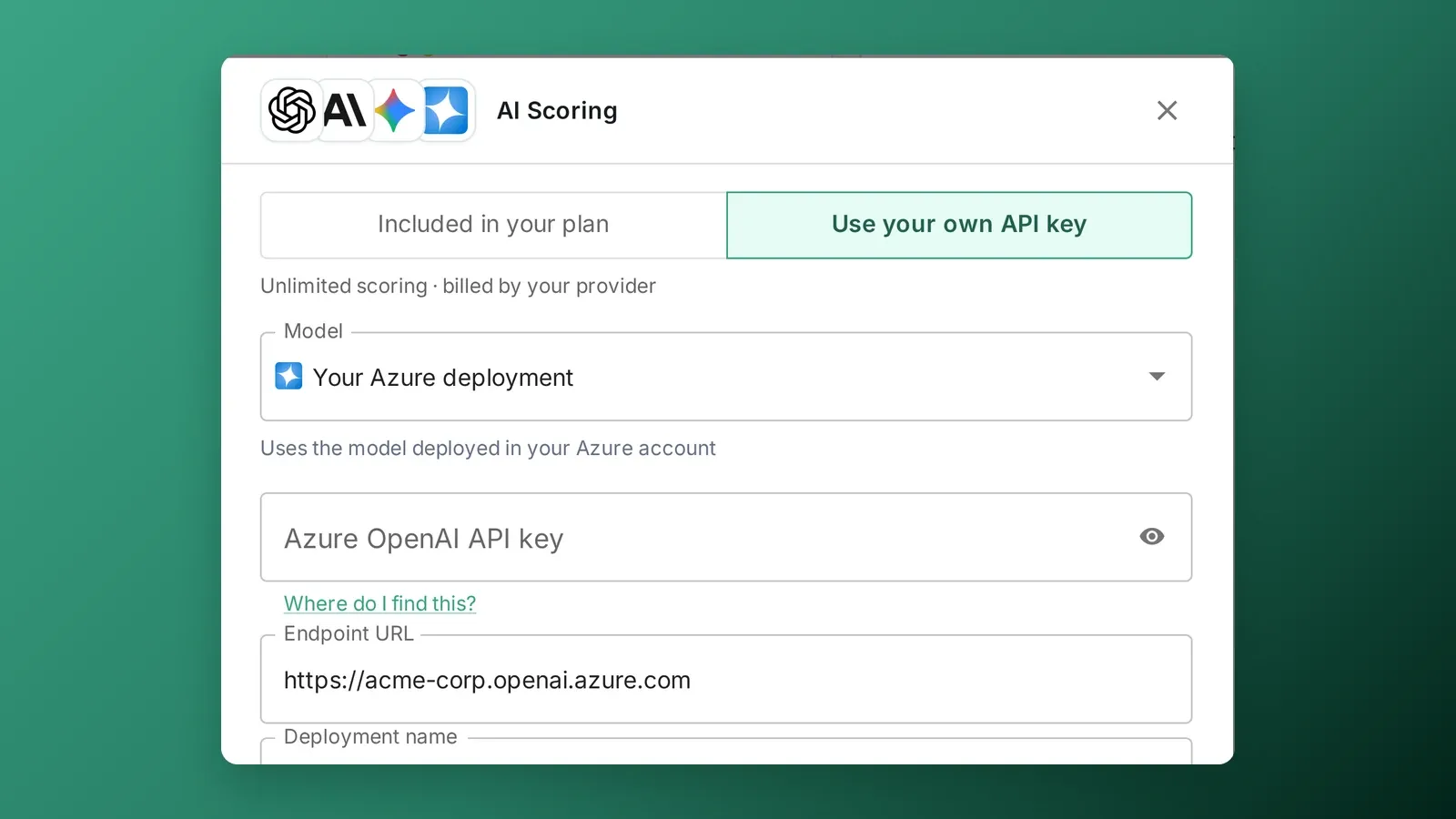
- Opens Settings → Integrations → AI Scoring.
- Switches to Use your own API key and picks a model.
- Adds the key and saves.
Start by scoring a few applicants you have already reviewed, and compare. Full steps and screenshots are in the help article.
AI Scoring availability and pricing
Part of Premium. Your provider bills you for scoring on your own key, and Dover sets no monthly score limit on it. See plans and pricing.
Frequently asked questions
Can I use Anthropic or Gemini for Dover AI Scoring on the Free plan?
No. AI applicant scoring is part of Premium, which is $199/month.
How do I connect an Anthropic or Gemini key to Dover AI Scoring?
Open Settings → Integrations → AI Scoring, switch to Use your own API key, choose a model, paste your key and save.
Will existing Dover AI Scoring scores change when I switch models?
No. Switching affects later scores. To update existing ones, score those applicants again.