
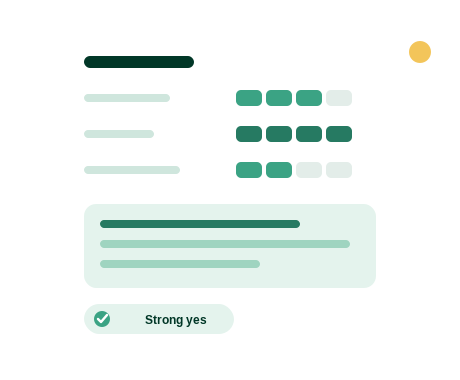
At a glance
- Scale
- 4 points, or strong no to strong yes
- Each level needs
- A written anchor
- Interviewers write
- Evidence, not opinions
- Part of
- Series, part 2 of 2
Part 2 of 2 in a series on structured interviewing. Part 1, how to choose interview questions, covers which criteria to test and what to ask. This guide covers how to score the answers. An interview scorecard is a one-page form that records, for each competency, a rating and the evidence behind it, so every candidate is judged on the same standard. Copy the template below and adapt it for each stage.
Our other guides on interviewing mostly avoid numeric scores, but scoring is the one place to be exact, so this page covers it in full. For the wider process, see interview process best practices.
Step 1: Take the criteria from your questions
What to do: Use the must-have competencies you chose in part 1. Each interview stage gets a scorecard with only the competencies that stage is responsible for, usually two to four. Do not ask one interviewer to rate everything.
Why: Ratings only mean something against a defined criterion. “Seemed good” is not a criterion, and a scorecard with a dozen rows leads to rows filled in at random.
Step 2: Design the rating scale
What to do: Choose one scale and use it everywhere. Two work well:
| Scale | Levels | When to use it |
|---|---|---|
| 4-point | 1 Does not meet, 2 Partly meets, 3 Meets, 4 Exceeds | Rating individual competencies |
| Recommendation | Strong no, No, Yes, Strong yes | The overall hire recommendation |
Avoid a 5-point scale with a “3 = neutral” middle. Avoid 10-point scales, which suggest more precision than a conversation can give.
Why: An even-numbered scale has no midpoint, so the interviewer has to lean toward yes or no and defend it. A midpoint becomes a place to hide when the interviewer is unsure, and the score then says little. Labeled levels also help, because “3” can mean different things to different people while “Meets the bar” is harder to misread. Write down what each level means and train people to use it. The US Office of Personnel Management says in a structured interview all responses are evaluated using the same rating scale and standards for acceptable answers (OPM).
Step 3: Write an anchor for every level
What to do: For each competency, write one sentence describing what you would see at each level. Describe observable behavior, not adjectives. Here is an example for ownership.
| Level | Anchor for “ownership” |
|---|---|
| 1 Does not meet | Describes only tasks they were assigned. Blames others or circumstances when things went wrong. |
| 2 Partly meets | Takes responsibility for assigned work but waits for direction. Examples are small or the candidate’s own part is unclear. |
| 3 Meets | Gives a clear example of taking initiative, driving a project to done and handling a setback. Can say what they personally did. |
| 4 Exceeds | Takes on problems beyond their role, makes tradeoffs, owns the result and improves the process for others. Specific outcomes and lessons. |
Write anchors before you interview anyone, and keep them with the question list.
Why: Without anchors, two interviewers give the same answer different scores. Anchors turn a feeling into a comparison, and they let a new interviewer score like an experienced one.
Step 4: Weight the must-haves
What to do: Mark each competency as a must-have or a nice-to-have, and set the decision rules before you score the first candidate.
- A candidate who scores 1 or 2 on any must-have does not advance, however strong the rest.
- Count must-haves first, then use nice-to-haves to separate candidates who are otherwise close.
- If you want a total score, weight must-haves more, for example 2 for a must-have and 1 for a nice-to-have, and keep the math simple.
Why: Averaging every row lets a strength hide a gap in something the role cannot do without. Decision rules agreed in advance also protect you from rationalizing a favorite candidate after you meet them.
Step 5: Write evidence, not opinions
What to do: Next to every rating, write what the candidate said or did, in specifics. Quote when you can. Keep a clear line between what you observed and what you inferred.
| Opinion (weak) | Evidence (strong) |
|---|---|
| “Great communicator.” | “Explained the pricing migration in three clear steps and checked I followed. Asked me what I already knew before starting.” |
| “Not a culture fit.” | “Said she prefers to work alone and did not describe a time she asked for help. Our role needs daily cross-team work.” |
| “Seems senior.” | “Led a team of five through a rebuild and named the tradeoffs. Could not say what the result was.” |
Avoid vague or personal terms such as “culture fit”, “energy” and “gut feel”, which are where bias hides. See how to interview diverse candidates.
Why: Evidence is what the team can discuss in the debrief, and what you can point to later if a decision is questioned. An opinion can only be accepted or argued with.
Step 6: Submit before you read anyone else’s feedback
What to do: Ask every interviewer to complete their scorecard right after the interview, ideally within a few hours, and before reading anyone else’s. Do not discuss the candidate in chat or in the hallway first.
Why: Once you see a colleague’s rating, your own shifts toward it. Independent scores give you real information at the debrief, and a fast submission protects against memory fade. See how to run interview debriefs for what to do next.
Step 7: Calibrate your interviewers
What to do: Before a search starts, and again after the first few interviews, get the interviewers together.
- Read one sample answer aloud, from a recording or a written example, and have everyone score it alone.
- Compare scores and discuss any gap of more than one level.
- Adjust the anchors where people read them differently.
- Repeat with a second competency if time allows.
After a few candidates, check whether any interviewer scores much higher or lower than the others across the same candidates, and talk it through with them. See interviewer training for a full calibration session.
Why: Some interviewers are lenient and some are harsh. Calibration makes a 3 from one person mean the same as a 3 from another, which is what makes scores comparable.
Copyable scorecard template
Copy this into a Dover feedback form or a shared document. Fill in the brackets, and keep the anchors where interviewers can see them.
INTERVIEW SCORECARD
Role: [job title]            Stage: [e.g. hiring manager interview]
Candidate: [name]            Interviewer: [name]            Date: [date]

Scale: 1 Does not meet | 2 Partly meets | 3 Meets | 4 Exceeds
Must-have = score of 3 or higher is required to advance

COMPETENCY 1: [e.g. Ownership]  (must-have / nice-to-have)
What a 3 looks like: [one-sentence anchor]
What a 1 and a 4 look like: [anchors]
Questions asked: [list]
Evidence (what the candidate said or did, with quotes):
[notes]
Rating (1-4): [ ]

COMPETENCY 2: [e.g. Communication]  (must-have / nice-to-have)
What a 3 looks like: [anchor]
Evidence:
[notes]
Rating (1-4): [ ]

COMPETENCY 3: [e.g. Role skill]  (must-have / nice-to-have)
What a 3 looks like: [anchor]
Evidence:
[notes]
Rating (1-4): [ ]

OVERALL RECOMMENDATION (pick one): Strong no | No | Yes | Strong yes
Why (two or three sentences, citing evidence above):
[notes]

Concerns or questions for the debrief:
[notes]

Submitted before reading other interviewers' feedback? [yes / no]
For the deeper dive on building a scorecard, including how many competencies to include and how to phrase them, see our blog post on the interview scorecard. Next, train the people who will use it with interviewer training.
Create your scorecard in Dover’s ATS
In Dover, a scorecard is a feedback form. Build it once, assign it to each interview stage, and every interviewer answers the same questions on the same scale.
- Create the form. Go to Settings → Feedback Forms and click New. You can also open a stage on a job’s Interview Plan and choose + New Feedback Form.
- Start from a template or from scratch. Pick a role type and one of Dover’s pre-made forms and edit it, or build your own.
- Add your criteria as questions. Add one question per competency from Step 1, and put the anchor definitions from Step 3 in the help text, so interviewers see them as they score. Choose free text for evidence or multiple choice where you want a set answer, then reorder the questions.
- Choose the rating scale. By default the overall rating runs from 1 (lowest) to 4 (highest). On Premium, you can create a custom scale, either numeric or label-based, for example Strong no to Strong yes.
- Assign the form to a stage. Open the job’s Interview Plan tab, click the pencil on the stage, choose the form and save. You can reuse a form on many jobs and stages, and changes apply to future interviews, not completed ones.
- Collect scores. After the interview, each interviewer clicks Add feedback on the stage card of the candidate’s profile (the View in Dover link in the calendar invite opens it), answers each question, adds an overall rating and clicks Submit feedback.
- Review the results. Feedback appears on the candidate’s Interviews tab, in the overall rating cards and in each interviewer’s submission. Anyone with the View all feedback job permission, such as the hiring manager and recruiter, can see every submission.
See Interview feedback forms and Interviewing candidates.
Frequently asked questions
What is an interview scorecard?
A scorecard is a form each interviewer fills in after an interview. It lists the competencies they assessed, a rating for each with supporting evidence, and an overall recommendation, so every candidate is judged against the same standard.
What rating scale should an interview scorecard use?
Use a 4-point scale or a labeled scale from strong no to strong yes. An even number of points has no midpoint, so interviewers must lean one way, and written labels keep a 3 from meaning different things to different people.
Why avoid a 5-point scale with a middle option?
A middle score lets interviewers avoid a decision, and a 3 often means 'I am not sure' rather than 'average'. Without a midpoint, the interviewer has to commit and then explain why in the notes.
How do you weight competencies on a scorecard?
Mark the must-haves and give them the most weight, and treat nice-to-haves as tiebreakers. A simple rule works well: a candidate who scores below the bar on a must-have does not advance, however strong the rest is.
Should interviewers read each other's feedback before submitting?
No. Submit your own scorecard first, then read others. Seeing a colleague's rating first anchors your judgment and makes the debrief a confirmation instead of independent evidence.
Can I build an interview scorecard in Dover?
Yes. In Dover the scorecard is a feedback form. Create it in Settings → Feedback Forms, assign it to a stage on the interview plan, and interviewers add answers and an overall rating. Custom rating scales are on Premium.
Turn your scorecard into a Dover feedback form
Build the form once in Settings, assign it to an interview stage and every interviewer scores on the same scale with notes beside each rating. Feedback forms and the default 1 to 4 scale are free.