
At a glance
- Time per resume
- 1 to 3 minutes
- Before you start
- 3 to 5 must-haves
- Sort into
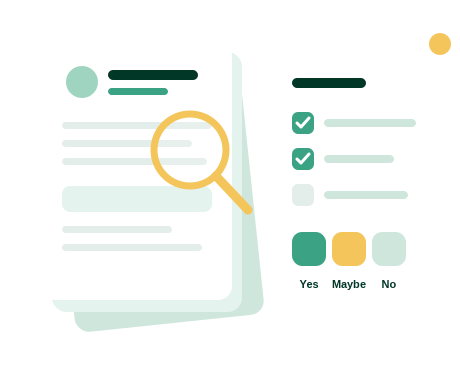
- Yes, maybe, no
- Reply to all
- Within about a week
Screening applications means deciding, quickly and consistently, which applicants deserve a conversation. This guide shows how to define your must-haves first, run a short first pass with a rubric, catch fake applications, handle high volume and reduce bias. It ends with a copyable checklist and the steps in Dover.
Step 1: Define your must-haves before you look
What to do: Write down three to five requirements that are truly necessary, such as a specific skill, a level of experience, a work authorization or a location rule. Separate them from “nice to haves”. Agree them with the hiring manager before the first applicant arrives, using your intake notes and the job description.
Why: Deciding the bar before you see people stops you from bending it for a candidate you like or against one you do not. It is also the base of fair, defensible screening.
Step 2: Build a simple first-pass rubric
What to do: Turn the must-haves into a short scoring guide. Use three outcomes so you do not agonize over fine differences.
| Outcome | Meaning | Next step |
|---|---|---|
| Yes | Meets all must-haves with clear evidence | Recruiter screen |
| Maybe | Meets most, or evidence is thin | Second look, or ask a question |
| No | Misses a must-have | Decline with a kind note |
For each must-have, write what counts as evidence. “Has led a team” is vague. “Managed two or more direct reports, stated in the resume or answers” is checkable.
Why: A shared rubric makes two reviewers reach similar answers, and lets you explain every decision later.
Step 3: Know what to read, and what to ignore
What to do: Read for evidence of the work. Spend your time on:
- Scope and results: what they owned and what changed because of it
- Fit with the must-haves: specific skills, tools and levels
- Trajectory: growth in responsibility over time
- Their answers to your application questions, which show how they communicate
Do not weigh these, which tell you little about ability and invite bias: school prestige, the look of the resume, typos in a non-writing role, a photo, a name, an address and job gaps on their own. Treat gaps as a question to ask, not a reason to reject. For a deeper dive on resume reading, see how to review resumes and find the best candidates.
Why: Pedigree is easy to see and a weak predictor. Evidence takes a few seconds more and is what actually matters.
Step 4: Use application questions and knockouts carefully
What to do: Add a few questions to the application that test your must-haves: work authorization, location, a short written answer about a relevant problem. Use a knockout, an automatic rejection for a particular answer, only for true requirements that cannot be negotiated, such as legal work authorization. Keep the form short, because every extra question lowers completion.
Why: Questions save you time and show how candidates think. Knockouts are efficient but unforgiving, so keep them narrow and review the rejected group now and then to be sure the question works as you intend.
Step 5: Watch for fake, AI-generated and fraudulent applications
What to do: Most applicants are real, so use light checks and apply them to everyone. Signals to look for together:
- Text that mirrors your job post almost word for word, or generic answers that could fit any role
- Employment history that does not match the online profile, or companies and dates that do not check out
- Reused or mismatched contact details, or the same resume content across several applicants
- Applicants who cannot talk about the specifics of work they list
- Location and time zone claims that do not fit, in remote roles
One odd signal is a reason to probe, not to reject. Ask an unscripted follow-up about a project on the resume, and verify identity later in the process on video. Do not judge anyone by name, accent, nationality or where they live. Organized fraud, including fake identities used to get remote jobs, is a real risk, and suspected schemes can be reported to the FBI’s Internet Crime Complaint Center. See how to run a recruiter screen for identity checks.
Why: A polished resume is now easy to produce with AI, so the application alone proves less than it used to. The conversation proves more.
Step 6: Handle high volume without lowering the bar
What to do: When hundreds of people apply:
- Sort by your must-have answers first, or filter by application questions.
- Use keyword and Boolean search to find specific skills, but do not rely on keywords alone, since good people phrase things differently.
- Time-box the first pass, for example 20 minutes at a time, so you do not drift.
- Review the yes pile first, and stop when you have enough strong candidates for the next stage.
- Use AI scoring to prioritize, never to decide alone.
Be careful with automated tools. Some jurisdictions regulate them: see employer’s guide to complying with NYC Local Law 144 and AI in hiring laws and best practices.
Why: Volume pushes people into shortcuts. A fixed process keeps the shortcuts job-related.
Step 7: Reduce bias in the first pass
What to do:
- Use the same criteria for everyone, and write the reasons for each decision in one line.
- Review answers before profiles where you can, so the first thing you read is evidence and not a name or school. Some teams hide names and photos for the first pass. A resume with details removed is not a substitute for a fair rubric, but it helps.
- Use two reviewers for the maybes and compare, then discuss differences.
- Check your results across stages for patterns that suggest a problem.
- Know the law. The EEOC explains which hiring practices are prohibited under federal law, and many states and cities add rules.
For more, see how to interview diverse candidates and de-biasing job descriptions.
Why: Bias in the first pass shrinks the pool before the interviews start. Consistency is the best fix.
Step 8: Respond quickly and kindly
What to do: Send an acknowledgement when someone applies and aim to give every applicant a clear answer within about a week or two. Send the rejection quickly with a short, respectful note. For finalists, say a little more. Never leave people in silence.
Subject: Your application for [Role] at [Company]

Hi [First name],

Thank you for applying for [Role] and for the time you put into your
application. We've reviewed it carefully, and we've decided to move
forward with candidates whose experience more closely matches
[specific requirement] for this role.

We really appreciate your interest in [Company] and wish you the
best in your search. We'll keep your details and may be in touch if
a role comes up that fits.

[Name]
Applicants talk, and reviews and word of mouth follow. See how to protect your employer brand when you’re hiring.
Why: A fast, kind answer costs almost nothing and turns a rejected applicant into a future candidate or a customer.
Copyable first-pass checklist
FIRST-PASS CHECKLIST  Role: [title]   Reviewer: [name]   Date: [date]

Must-haves (agreed before review)
[ ] 1. [must-have, with what counts as evidence]
[ ] 2. [must-have]
[ ] 3. [must-have]
[ ] 4. [must-have, optional]

Applicant: [name]
- Meets must-have 1?  Y / N / Unclear
- Meets must-have 2?  Y / N / Unclear
- Meets must-have 3?  Y / N / Unclear
- Application answers: strong / ok / weak
- Evidence of results or scope: [one line]
- Authenticity: no concerns / follow up on [item]
- Decision: Yes / Maybe / No
- Reason in one line: [reason tied to a must-have]

Rules
- Do not weigh: school name, photo, name, address, resume design
- Gaps and odd signals: ask, do not assume
- Respond to every applicant within [number] days
Review applicants in Dover
In Dover, open a job and click Applicants. The list is on the left and the selected applicant’s resume, application answers, emails and notes are on the right, in the tabs Resume, Application, Emails and Notes. See Reviewing applicants.
- Find people: use the Unreviewed and Bookmarked tabs, search by name, email or keywords, and use Boolean operators such as
AND,ORandNOTin uppercase. Filter by Status, Source, Tags or Application questions, and sort by Newest, Oldest or Score. - Act: Reject (Dover asks whether to send a rejection email), Draft email, Advance (no email) or Bookmark. Keyboard shortcuts speed things up, for example j and k to move between applicants and r to reject. Bulk actions to reject or update many applicants at once are on Premium.
- Application questions: add custom questions and, on Premium, knockout questions that reject applicants automatically for answers you do not want. See Job postings and application forms.
- Score with AI: on Premium, click Scoring, write the criteria for the job and Dover gives each applicant a score from 0 to 100 from their resume and application answers. Scores are meant to help you prioritize, and Dover recommends you review applicants yourself before you decide. See AI-powered applicant scoring.
- Tags and notes: label candidates with candidate tags such as “top prospect”, and record why you made a call in notes, which your team can see.
Frequently asked questions
How long should you spend on each resume?
A first pass takes one to three minutes if you have a rubric. Spend longer only on the maybes, and read the application answers as well as the resume.
What should you look for on a resume?
Look for evidence that the person has done work like the work in the role: scope, results, tools and growth over time. Check the must-haves you set before you started, and treat everything else as a bonus.
How do you spot a fake or AI-generated application?
Look for several signals together: generic text copied from your job post, experience that does not match the online profile, unexplained gaps in details, or a name and contact details that look reused. One odd signal is a reason to probe, not to reject.
Can you use AI to screen resumes?
Yes, as a way to prioritize, but a person should make the decision. Some places regulate automated tools in hiring, including New York City, so check the rules and test for bias.
How do you reduce bias when screening resumes?
Set criteria in advance, apply the same rubric to every applicant and focus on job-related evidence. If you can, review answers to application questions before names, schools or photos.
Do you have to reply to every applicant?
There is no general legal rule to reply to everyone, but it is good practice and protects your employer brand. Send an acknowledgement when they apply and a clear decision within a reasonable time.
Review applicants in Dover
See each applicant's resume, answers, emails and notes in one view, search by keyword, filter by application answers, and on Premium score applicants against your own criteria.