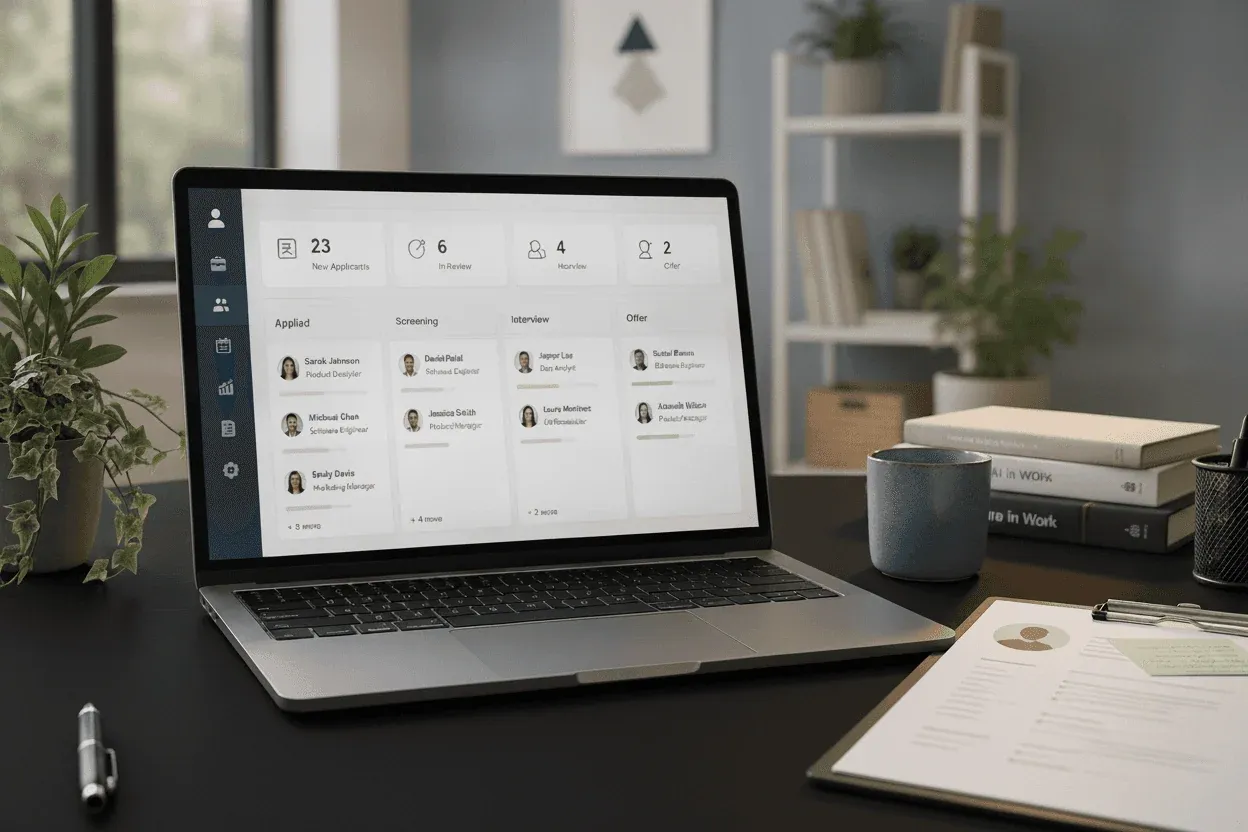

You’ve got open roles in four cities, interviewers who can’t agree on a feedback format, and a compliance team asking for audit trails you’re building manually in Google Sheets. Top applicant tracking systems are supposed to handle all of this automatically, but most enterprise applicant tracking systems assume you’ve got an HR ops team ready to spend months on implementation. The challenge isn’t finding a system that can scale with you. It’s finding one your team will actually adopt without needing a training manual just to post a job.
TLDR:
-
Enterprise ATS platforms handle hundreds of concurrent job openings across departments and locations.
-
AI screening filters roughly 88% of unqualified applicants before human review.
-
Cloud-based systems hold 77% of the ATS market and deploy in weeks versus months for on-premise.
-
Resume formatting matters because tables and graphics often break parsing engines.
-
Free ATS options exist for growing companies managing their first 100 hires, with multi-board job distribution and candidate tracking built in; AI applicant scoring sits on a paid tier.
What Is an Enterprise Applicant Tracking System?
An enterprise applicant tracking system is recruiting software built for organizations managing hundreds or thousands of job openings at once. Where a basic ATS helps a small team track a handful of candidates, enterprise solutions are designed for hiring at scale across multiple departments, offices, and countries simultaneously.
At its core, an enterprise ATS centralizes all candidate information. It automates recruiting workflows from job requisition through offer letter, giving hiring teams, HR leaders, and executives shared visibility into the full pipeline. Decisions get made faster because everyone works from the same data, not scattered spreadsheets or email threads.
Key Features of Enterprise ATS Solutions
What separates an enterprise ATS from a basic one is depth, both in individual features and in how those features connect across a hiring operation.
-
Resume parsing and screening tools can score applicants against role requirements, reducing the manual review burden on recruiters
-
Workflow automation moves candidates through pipeline stages, triggers notifications, and sends templated communications without manual input
-
Collaborative hiring tools give interviewers, hiring managers, and HR a shared space for structured feedback and decisions
-
Interview scheduling syncs directly with calendars, cutting the back-and-forth that stalls hiring
-
Offer management handles approval chains, letter templates, and e-signatures in one place
-
Compliance tracking logs every hiring action for audit readiness across jurisdictions and employment laws
-
Reporting dashboards surface funnel metrics, time-to-fill, and source quality in real time
-
Candidate experience tools like branded career portals and mobile-friendly application flows help attract and convert qualified applicants
-
Employer branding controls let teams customize career pages with company culture content, job-specific landing pages, and consistent visual identity across job boards
Individually, each feature saves time. Together, they give large organizations the control needed to run dozens of searches at once without things falling through the cracks.
Enterprise ATS Market Growth and Adoption
The enterprise ATS market was valued at $3.2 billion in 2023 and is projected to grow at a compound annual growth rate of 6.7% through 2030. Large organizations are adopting these systems at a faster rate than small businesses, with over 98% of Fortune 500 companies now using ATS software to manage hiring.
How Enterprise Applicant Tracking Systems Work
The workflow starts with a job requisition. Once approved, the role goes live on the company’s career page and distributes to job boards automatically. Candidates enter through direct applications, referrals, and recruiter sourcing tools, all funneling into one system.
From there, resume parsing runs on every submission. AI scoring ranks applicants against role criteria, giving hiring managers ranked shortlists instead of unfiltered piles. Applications route to the right stakeholders, scheduling syncs with calendars, and structured feedback forms capture assessments at each stage.
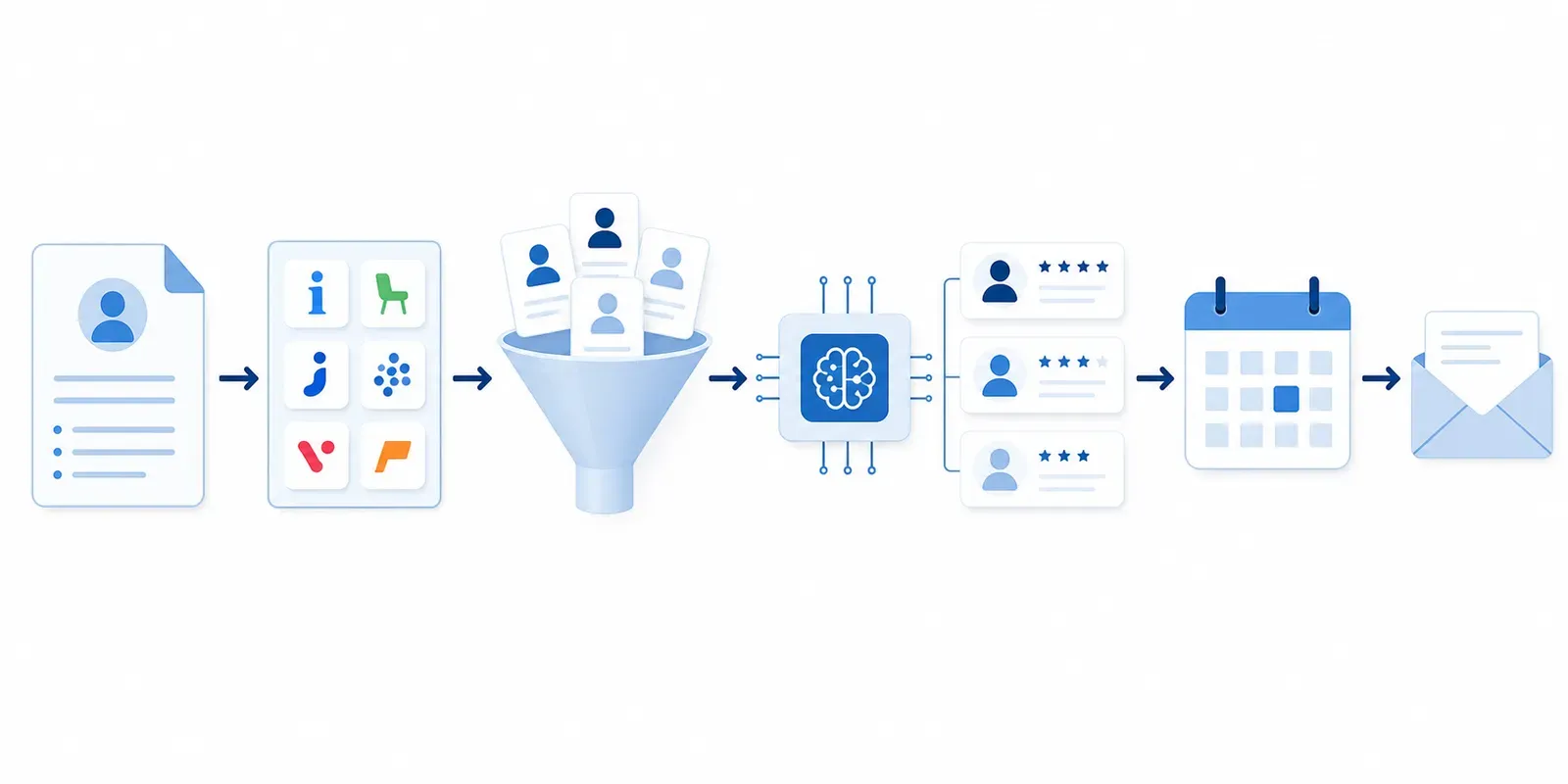
Most actions can be logged within the system. Offer approvals, stage transitions, and compliance records can be tracked in a central audit trail, reducing the need for manual documentation.
When the ATS Alone Isn’t Enough
Software handles the mechanics of hiring: posting, tracking, scheduling, and compliance. What it doesn’t do is go find people. When a search is senior, specialized, or sourcing-heavy, or when the internal team simply doesn’t have bandwidth to work a full pipeline, the ATS becomes the coordination layer while a recruiter does the search work on top of it. The practical model for many growing companies is a lightweight ATS managing the pipeline paired with a fractional recruiter engaged per role, so recruiting capacity scales with actual hiring demand instead of headcount.
Benefits of Implementing an Enterprise ATS
The measurable gains from enterprise ATS adoption show up quickly. An effective ATS can cut the average hiring cycle by as much as 60%, and 62% of recruiting teams report finding higher-quality candidates after adoption.
Collaboration improves when distributed teams stop forwarding emails and working from separate spreadsheets. Compliance risk drops as documentation happens automatically instead of being delegated to someone’s memory. Analytics turns recruiting from gut-feel into real decisions backed by source quality, interviewer conversion rates, and cost per open role.
AI and Automation in Enterprise ATS
AI has moved from optional add-on to table stakes in enterprise hiring. 79% of organizations have integrated AI or automation directly into their ATS, and the reasons are hard to argue with.
Resume screening is where the impact shows fastest. Most applicants to a given role don’t meet minimum requirements. Screening tools help reduce manual sorting by surfacing more relevant candidates.
Beyond screening, some systems use predictive analytics to help assess candidate fit, automated matching surfaces passive talent against open roles, and chatbots handle initial candidate outreach around the clock. Recruiters get to focus where human judgment actually matters.
Enterprise ATS Implementation Timeline and Best Practices
Smaller organizations can often go live in a few weeks. Enterprises with complex workflows, multi-system integrations, and years of candidate data to migrate should budget 3 to 6 months and treat that estimate as optimistic.
Getting it right depends less on the software and more on preparation. Pull in recruiting, HR, IT, and at least one hiring manager before touching any configuration. Map candidate flow first, then build it in the system. Set success metrics up front and treat user training as its own workstream. Adoption fails when people fall back to spreadsheets because no one showed them the new process.
Cloud vs. On-Premise Enterprise ATS Deployment
Cloud deployment holds 77.35% of the ATS market in 2025 and is growing at 9.68% CAGR through 2031. The reasons are straightforward.
On-premise still fits organizations with strict data sovereignty rules or deeply customized legacy workflows, but the infrastructure overhead and slower rollout make it a shrinking default for most enterprises.
| Factor | Cloud | On-Premise |
|---|---|---|
| Deployment time | Weeks | 3 to 6+ months |
| Upfront cost | Low (subscription-based) | High (hardware, licensing, IT setup) |
| Maintenance | Handled by vendor | Managed by internal IT team |
| Scalability | Scales on demand | Requires additional hardware investment |
| Data control | Shared responsibility with vendor | Full internal control |
| Updates | Automatic, continuous | Manual, scheduled by IT |
| Best fit | Most enterprises, fast-growing teams | Organizations with strict data sovereignty or legacy workflows |
Enterprise ATS Integration Capabilities
An enterprise ATS rarely works alone. The real value comes from how well it connects with the rest of your HR tech stack: HRIS systems, payroll software, background check providers, assessment tools, video interviewing platforms, and job boards. When these systems share data, duplicate entry disappears and candidate records flow into employee records without manual transfer.
That continuity matters for workforce planning. Without it, you get fragmented data living in separate systems that no one fully trusts. Integration depth should be a primary criterion in any ATS evaluation, not an afterthought.
ATS Resume Screening and Keyword Optimization
ATS systems parse resume text and match it against keywords from the job description. Candidates rank based on qualification alignment, so two equally strong applicants can end up in very different places depending on how their resumes are formatted.
The filtering problem is real. Qualified people get screened out when their resumes use tables, graphics, or creative layouts that parsing engines can’t read cleanly. Some straightforward fixes help:
-
Use standard section headings like “Experience,” “Skills,” and “Education”
-
Avoid columns, tables, and graphics
-
Include both the full term and acronym for key skills (e.g., “Search Engine Optimization (SEO)”)
-
Mirror exact language from the job posting
Enterprise ATS Security and Compliance
Candidate records require encryption at rest and in transit, with role-based access controls limiting exposure of sensitive data across hiring teams.
GDPR and CCPA require tracking candidate consent, handling deletion requests, and maintaining audit trails for regulatory review. Systems that don’t build these in from the start create compliance gaps. Standardized scoring criteria applied consistently across all applicants also reduces discrimination risk, giving organizations a defensible record if hiring decisions are challenged.
Choosing the Right Enterprise ATS for Your Organization
Selecting the right system starts with a clear look at your current hiring volume, where it’s headed, and what your team will realistically adopt. Reviewing top ATS platforms for recruitment side by side can help anchor that decision in concrete options.
Key criteria to weigh:
-
Scalability to support headcount growth without requiring a system switch
-
UX quality for recruiters and hiring managers, since poor adoption kills ROI fast
-
Customization depth for workflows that don’t fit the default configuration
-
Reporting that answers actual business questions instead of vanity metrics
-
Mobile accessibility for distributed and field-based hiring teams
-
Vendor support quality and response times when problems arise
-
Total cost of ownership beyond licensing, including implementation, training, and ongoing integration costs
Pull in recruiting, IT, hiring managers, and leadership before finalizing any decision. Each group surfaces requirements the others miss. Recruiter feedback catches workflow gaps; IT flags integration risks; leadership ties the choice back to budget and headcount plans. Early alignment keeps the selection process from becoming a post-launch debate.
How Dover Simplifies Recruiting for Growing Companies
Enterprise ATS tools are built for Fortune 500 companies with global hiring operations. Most growing startups need something different.
Dover’s free ATS sets up in under 5 minutes, distributes jobs to 50+ boards, and handles candidate tracking, a careers page, referral tracking, and agency management without the complexity of enterprise systems. A Premium plan at $199 per month adds AI applicant scoring and AI note taking for teams with heavier inbound. For founders managing their first 100 hires, the free tier is often enough.
When startups need recruiting help beyond software, Dover’s marketplace connects them with experienced fractional recruiters. Recruiters set their own rates and each engagement is negotiated directly with them, so cost depends on the role and the scope of work; companies have averaged $2,000 to $7,000 per hire, though that figure is not a quoted rate. Hourly, retainer, and pay-per-hire arrangements are all available. Either way it is usually well short of traditional agency fees of 15-25% of first-year salary or the loaded cost of a full-time recruiter, with no long-term commitment and no overhead sized for organizations ten times larger than yours.
FAQs
What’s the difference between an enterprise ATS and a basic applicant tracking system?
An enterprise ATS is built to manage hundreds or thousands of job openings at once across multiple departments, offices, and countries, with deeper compliance tracking, workflow automation, and integration capabilities. Basic ATS tools work well for smaller teams managing a few dozen roles without the complexity of global hiring operations or multi-level approval chains.
Can I use an applicant tracking system for free, or do enterprise solutions require substantial investment?
Enterprise ATS solutions typically require substantial investment for licensing, implementation, training, and ongoing integration costs, often budgeting 3-6 months for deployment in large organizations. Free applicant tracking systems like Dover work well for growing companies managing their first 100 hires, offering job distribution and candidate tracking at no cost, with AI applicant scoring on a $199/month paid tier, and none of the overhead of enterprise pricing.
Do I need a recruiter if I’m already using an ATS?
An ATS handles the pipeline mechanics: posting jobs, tracking applicants, scheduling interviews, and keeping hiring teams aligned. What it doesn’t replace is sourcing strategy or the active search work required for competitive roles. If inbound volume is strong and your team has bandwidth, the ATS may be enough. When a role is hard to fill or internal capacity runs short, adding a recruiter is the more direct path. Dover pairs a free ATS with on-demand fractional recruiters who set their own rates, so teams can bring in search support only when a role needs it and price it against that specific search.
Final Thoughts on ATS Selection
Enterprise applicant tracking systems handle the coordination challenges that come with hiring at massive scale. If you’re filling ten roles this quarter instead of two hundred, that same infrastructure becomes a burden instead of an asset. Your recruiting setup should match your actual hiring needs, not some projected headcount three years out. Getting this decision right means being clear about where you are today and what you’ll realistically use. Dover is one place to start: a free ATS that handles the pipeline paired with on-demand fractional recruiters, no retainer required, for when a search needs more than software alone.